
Let's Set Up Your Calendar Booking Page!
Integrate Your Calendar into Diamond Marketing:
This step allows your DM calendar to sync with your personal calendar to block off your personal appointments automatically.
Log into DM and select Settings and then Integrations
*If you use ical instead of google cal, follow this tutorial to integrate.
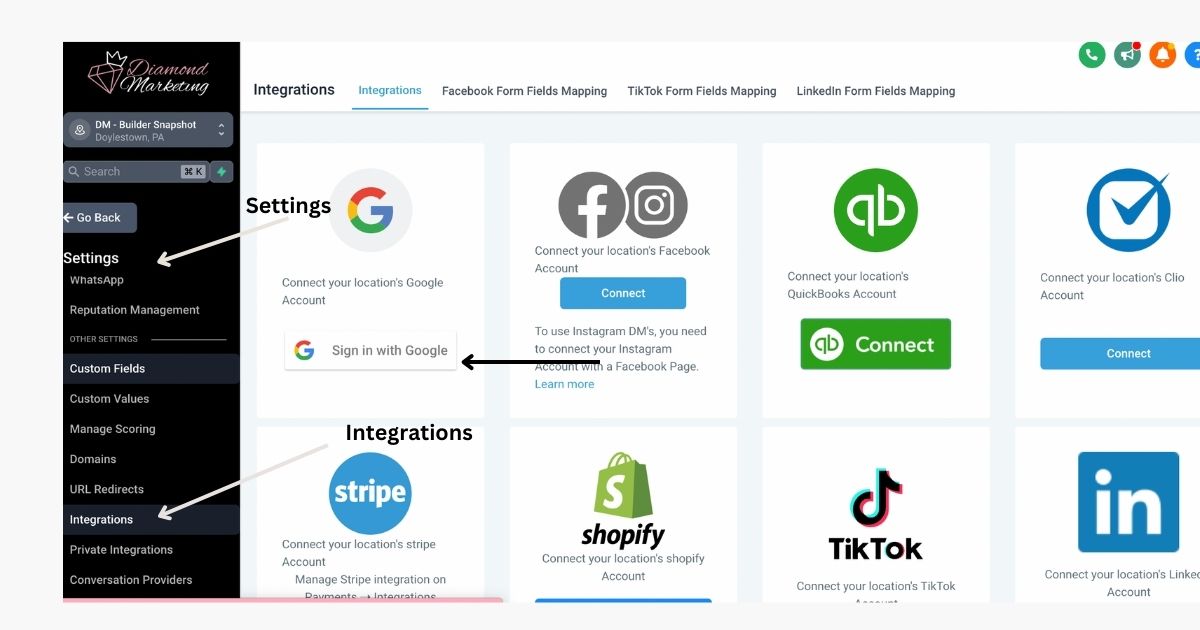
Select Google and Log In to your Google profile
Close any window pop-up and you are integrated!
Next, Let's Sync your Calendars!
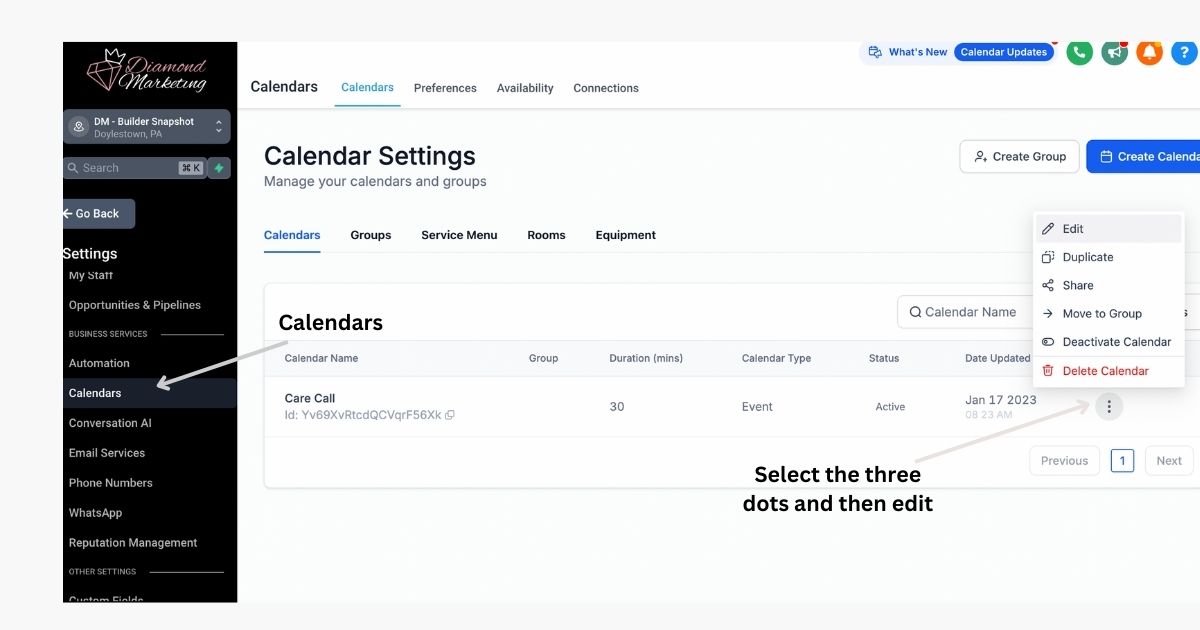
Head to Calendar, click the three dots next to Care Call, and select edit.
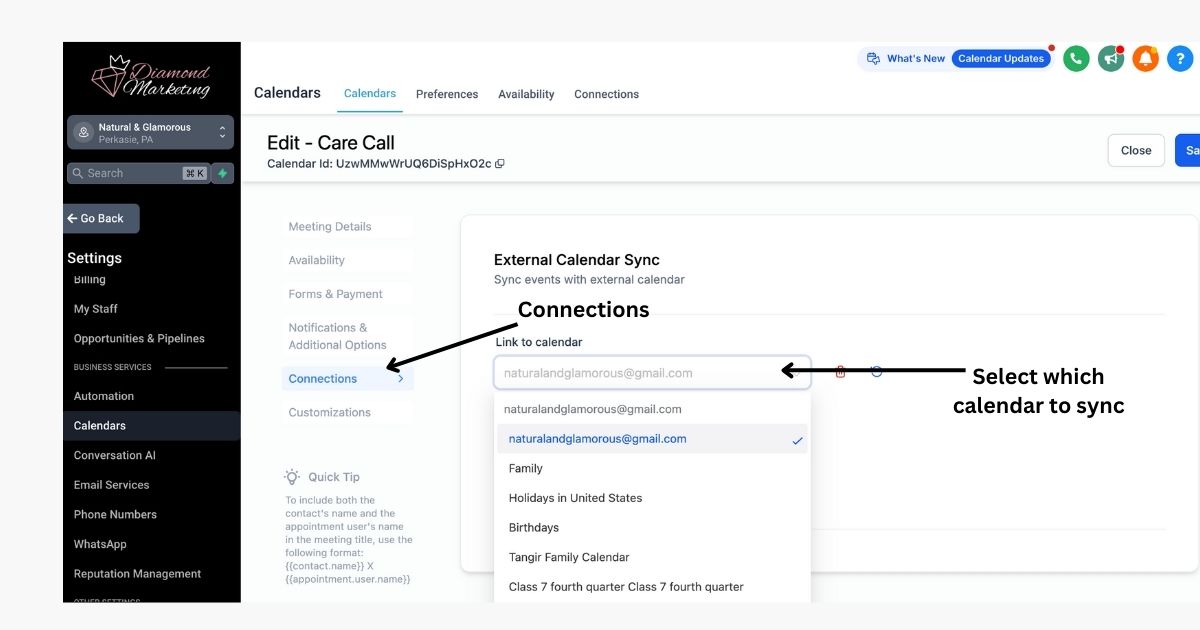
Click Connections and then select the calendar you would like to sync.
Next, Let's Customize Your Booking Calendar!
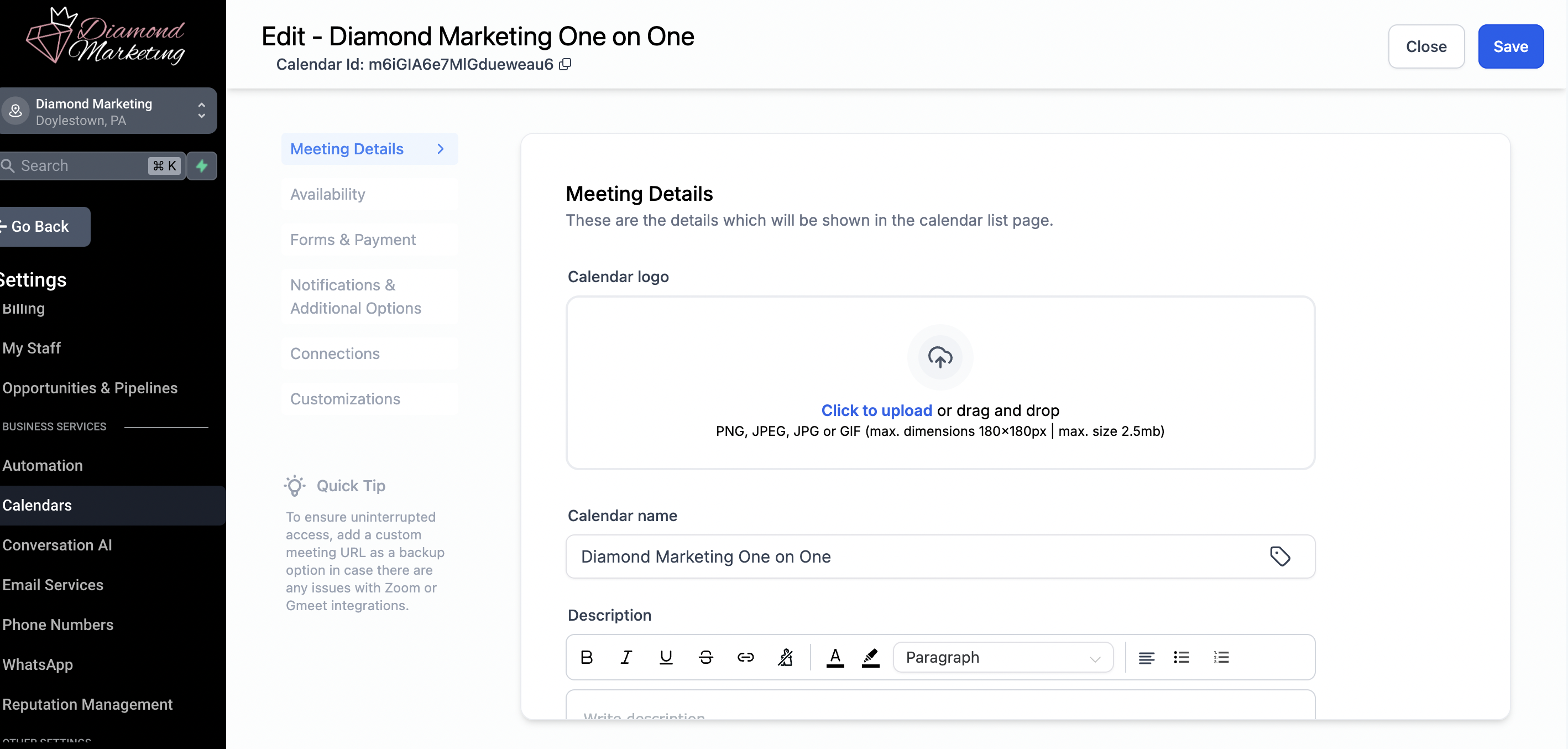
The Meeting Details page will allow you to set the calendar name and description, create a custom url and Meeting Title.
Click Save.
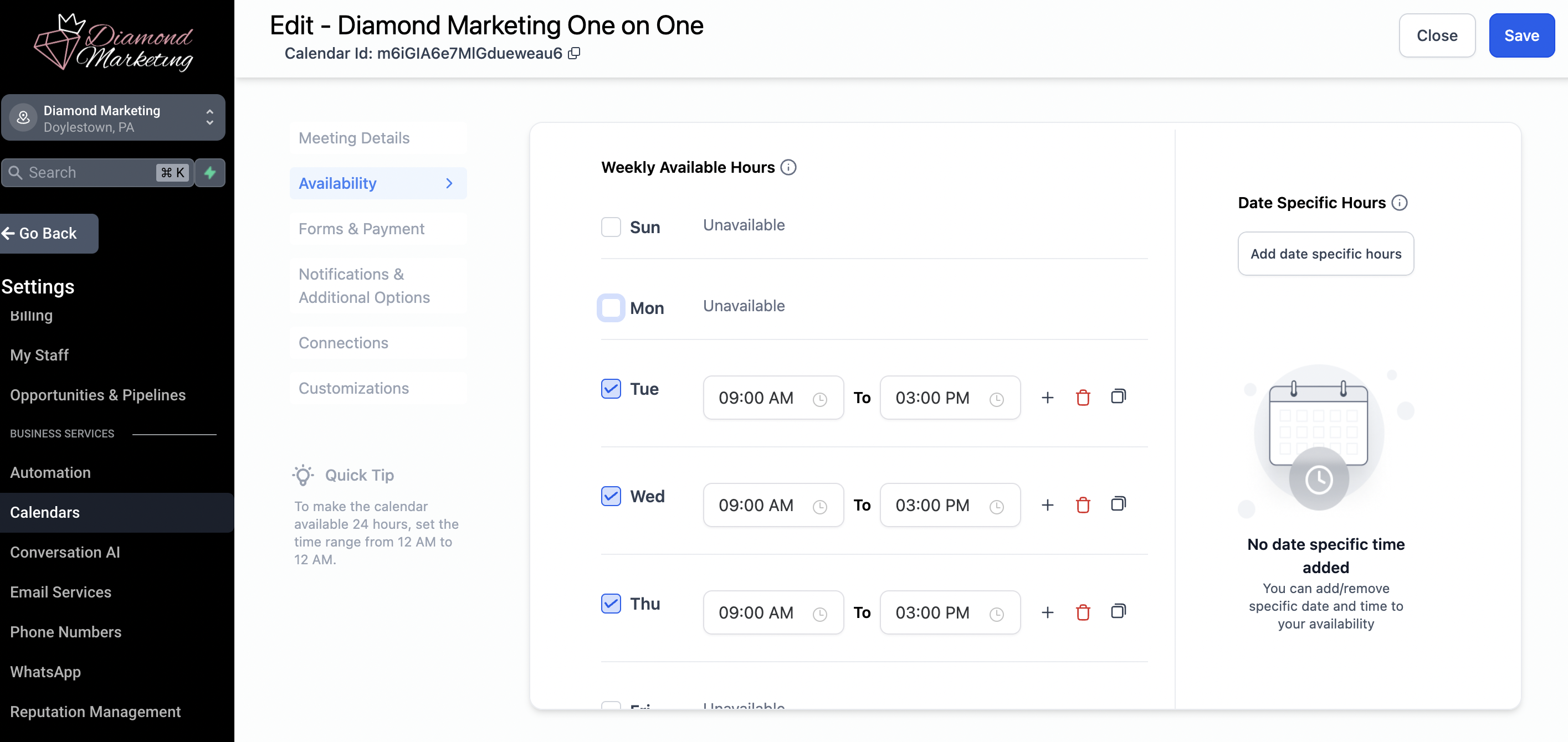
The Availability Page will allow you to set the times you'd like to be available for calls. When your calendar is synced, it will also block out your personal events during these time slots and make you unavailable.
Click Save.
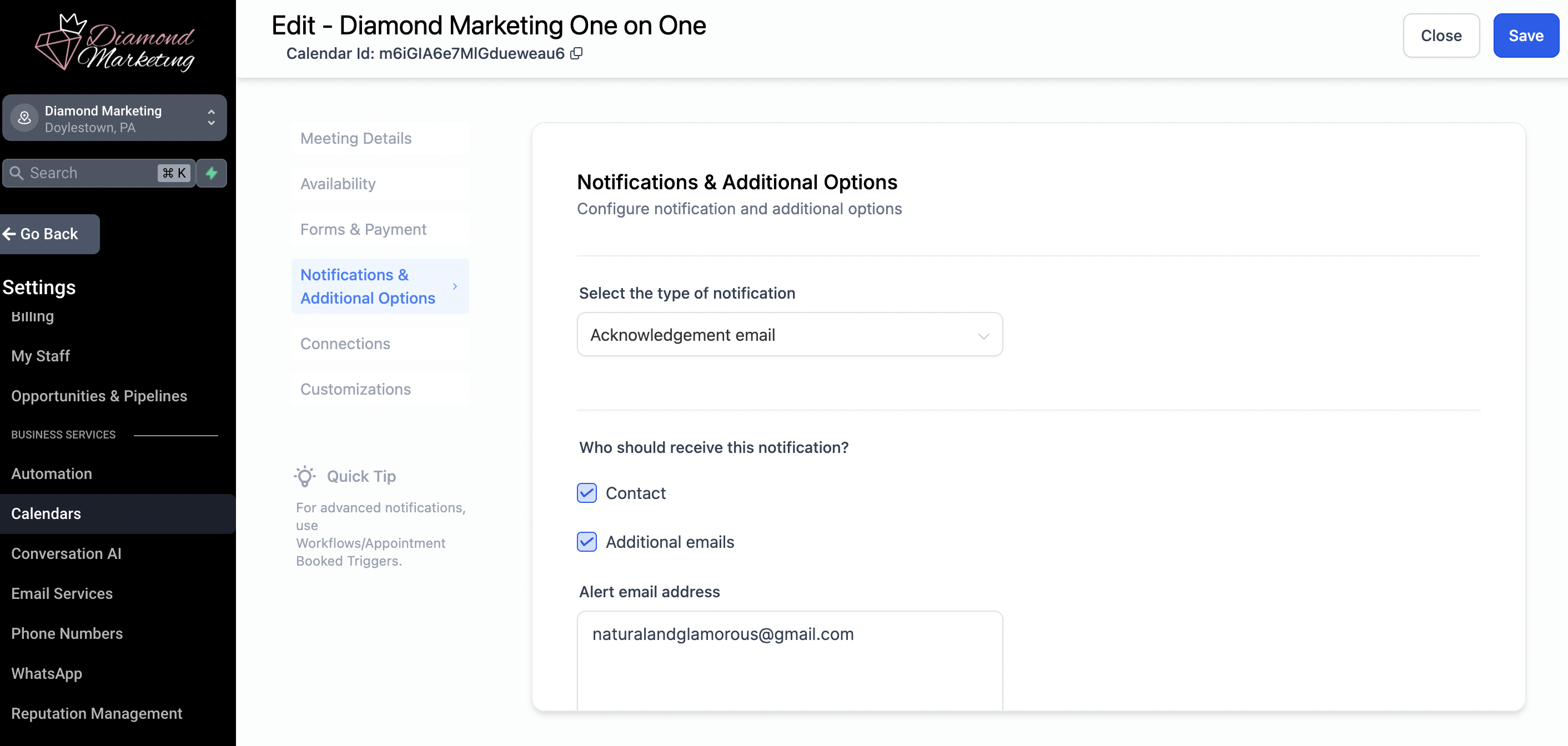
The Notifications Page will allow you to set an email to receive an email notification when someone sets up a meeting with you!
Click Save.
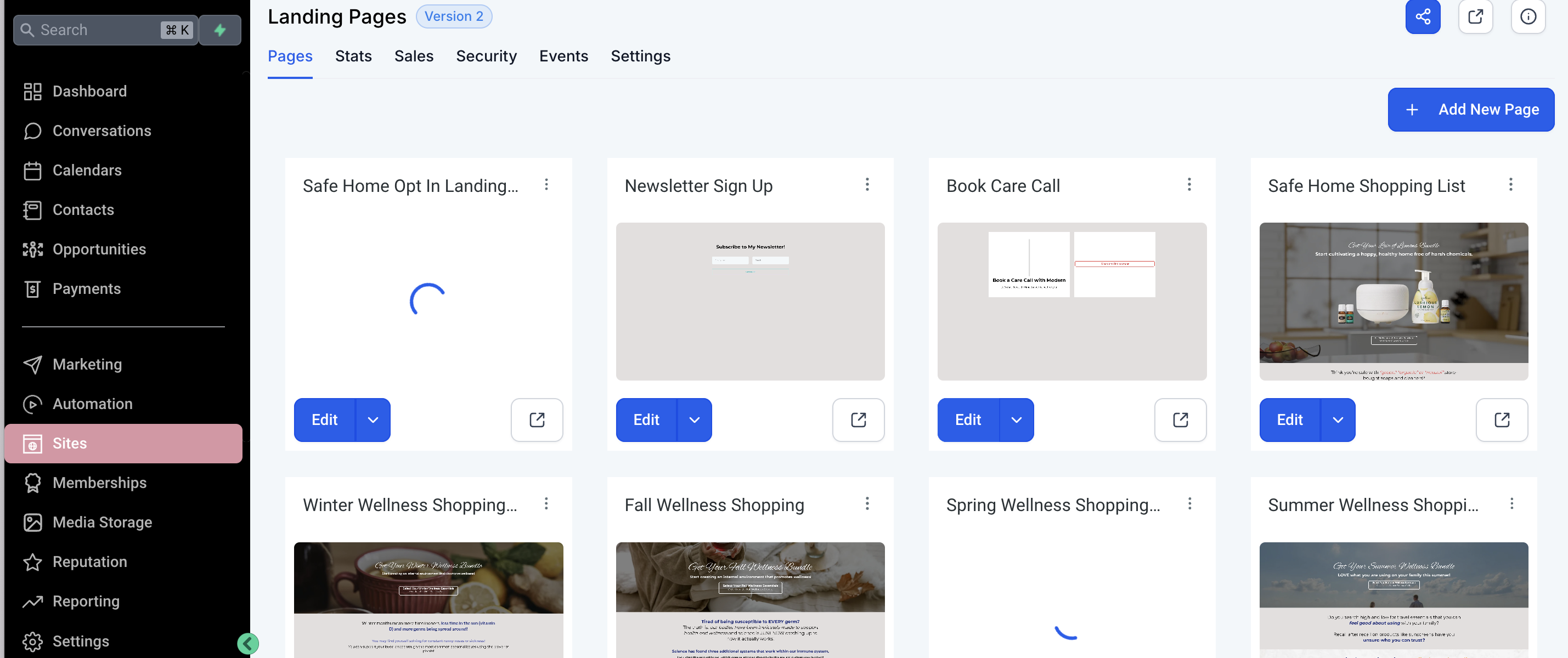
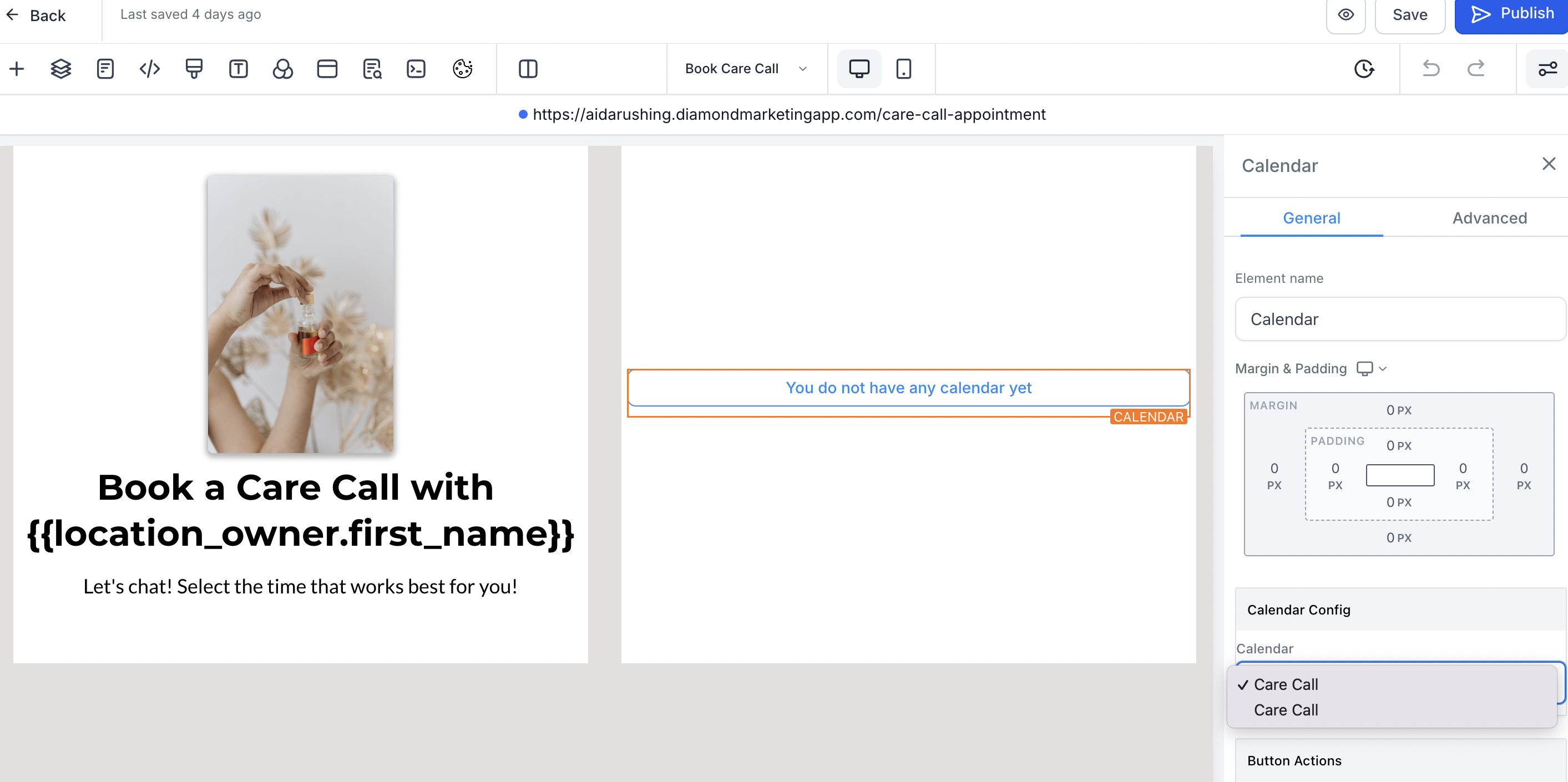
Lastly, add your calendar to your Book Care Call Webpage!
Head to Sites then click Websites at the top and select Landing Pages
Click the edit button on Book Care Call
Click on the Calendar Element and scroll over to Calendar Config on the right side
Select Care Call
Edit the Wording and photo on the right, "Book a Care Call with", the Custom Value Name, and the subheading "Let's Chat..." if you wish! These elements are placeholders for your personalization!
Video Lesson: Integrate Your Calendar
Diamond Marketing is a customer care platform design for Young Living Brand Partners. All content provided by Diamond Marketing is the property of Diamond Marketing App LLC and cannot be copied or redistributed outside of Diamond Marketing. without prior consent.