In-Person/Vendor Event Lead Magnet + Nurture Series
Seamlessly nurture your leads!
Lead Magnet + Nurture Series: Streamline your lead collection processes with two powerful workflows tailored to maximize your efficiency in capturing leads and then nurture them to a sale.
'Event Lead' Tag: Identify your event leads with a specialized tag for easy management PLUS trigger the 4-part email nurture sequence.
Form and Webpage: A dedicated Event Lead Magnet webpage with an attached form, making it convenient for event attendees to participate.
Workflow #1-
In-Person + Vendor Event Lead Magnet:
Make the Most of Your In-Person or Vendor Events! Stay ahead of the game when it comes to capturing, engaging, and nurturing your leads effortlessly! With our Lead Magnet Workflow, you can turn event attendees into lasting connections with a simple giveaway strategy!
How It Works: Use our ready-to-go workflow to attract leads by offering:
👉"Join my Weekly Oily Tips & Be Entered to Win XYZ!"
It’s easy, effective, and a fun way to grow your list while providing valuable content to your new contacts!
Event Lead Magnet Text Triggers:
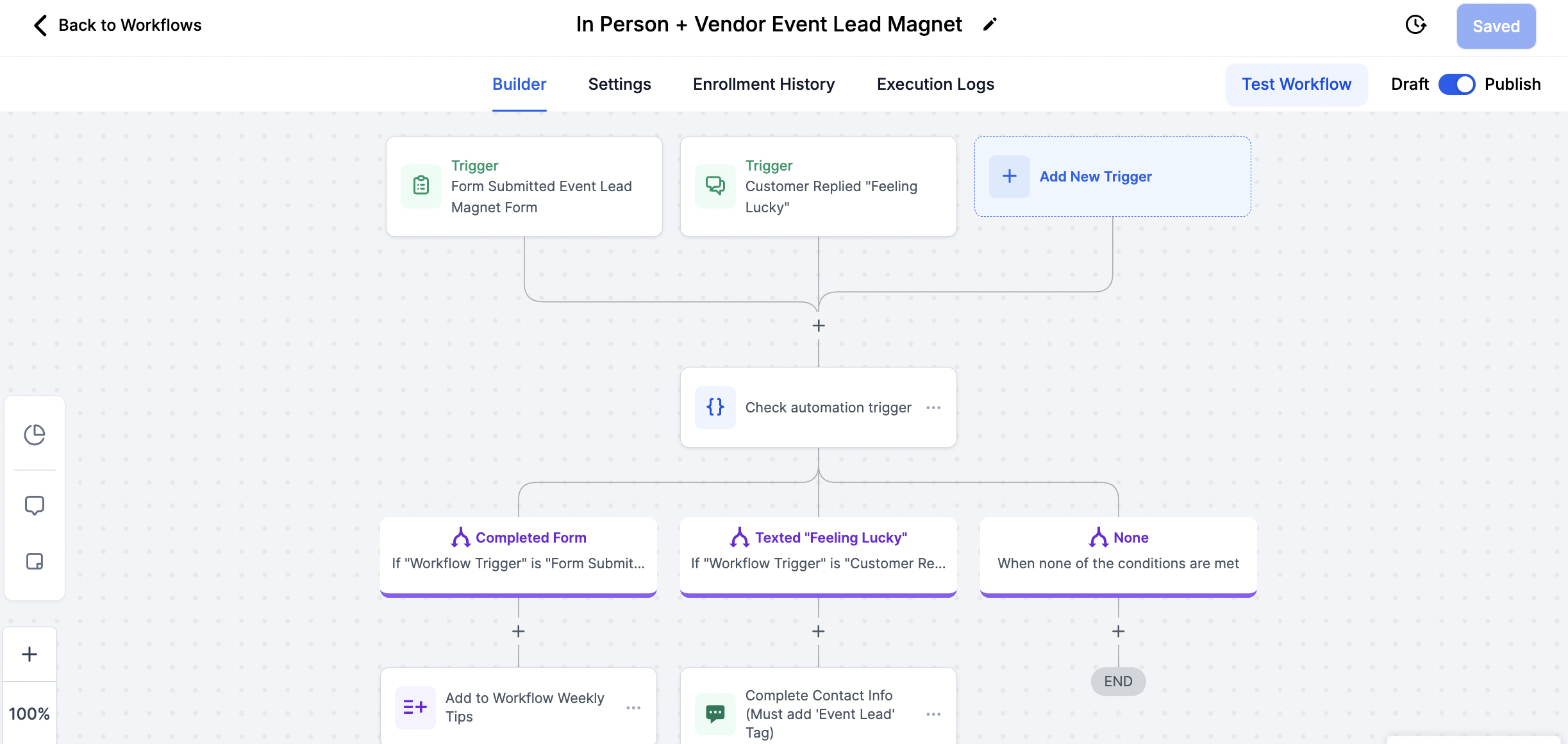
Text Trigger Words: New contacts will text your marketing number the words 'Feeling Lucky' to initiate the entry process and trigger the In-Person + Vendor Event Lead Magnet workflow
Text Entries: Contacts will be prompted to text reply their
complete contact information after texting 'Feeling Lucky'
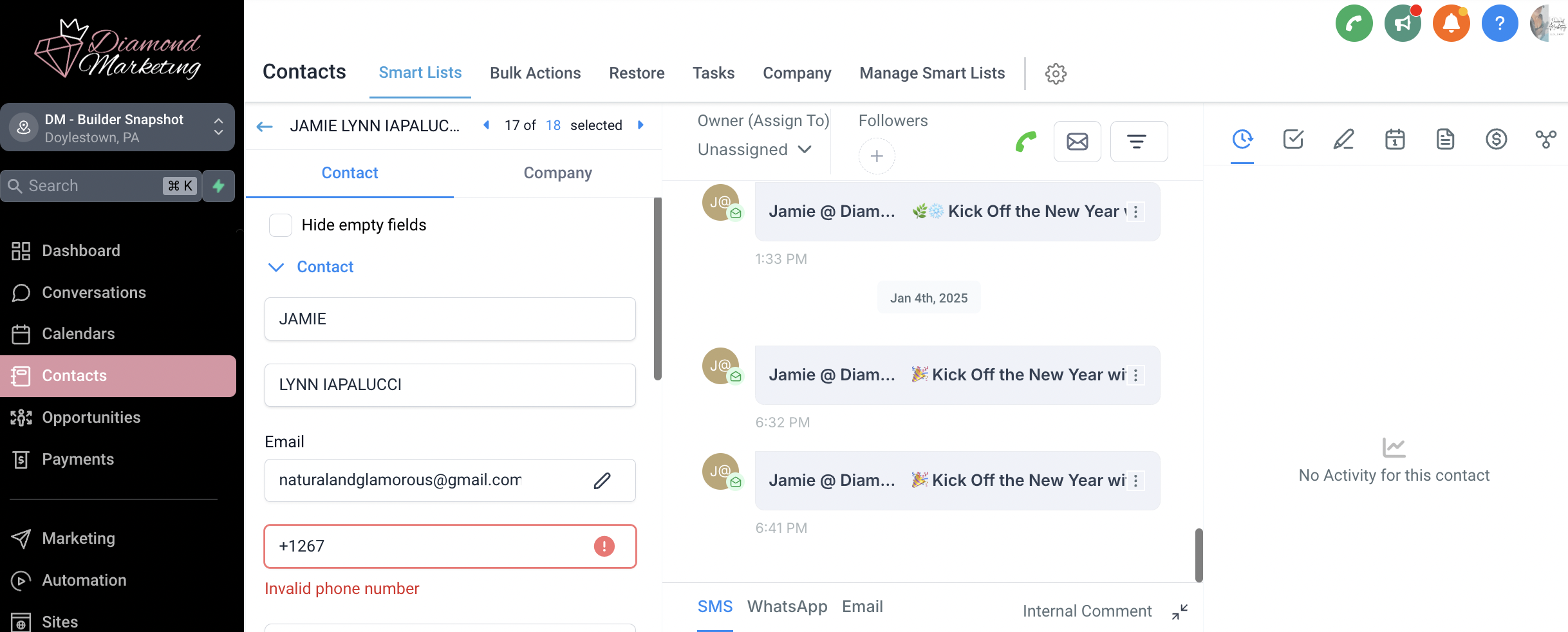
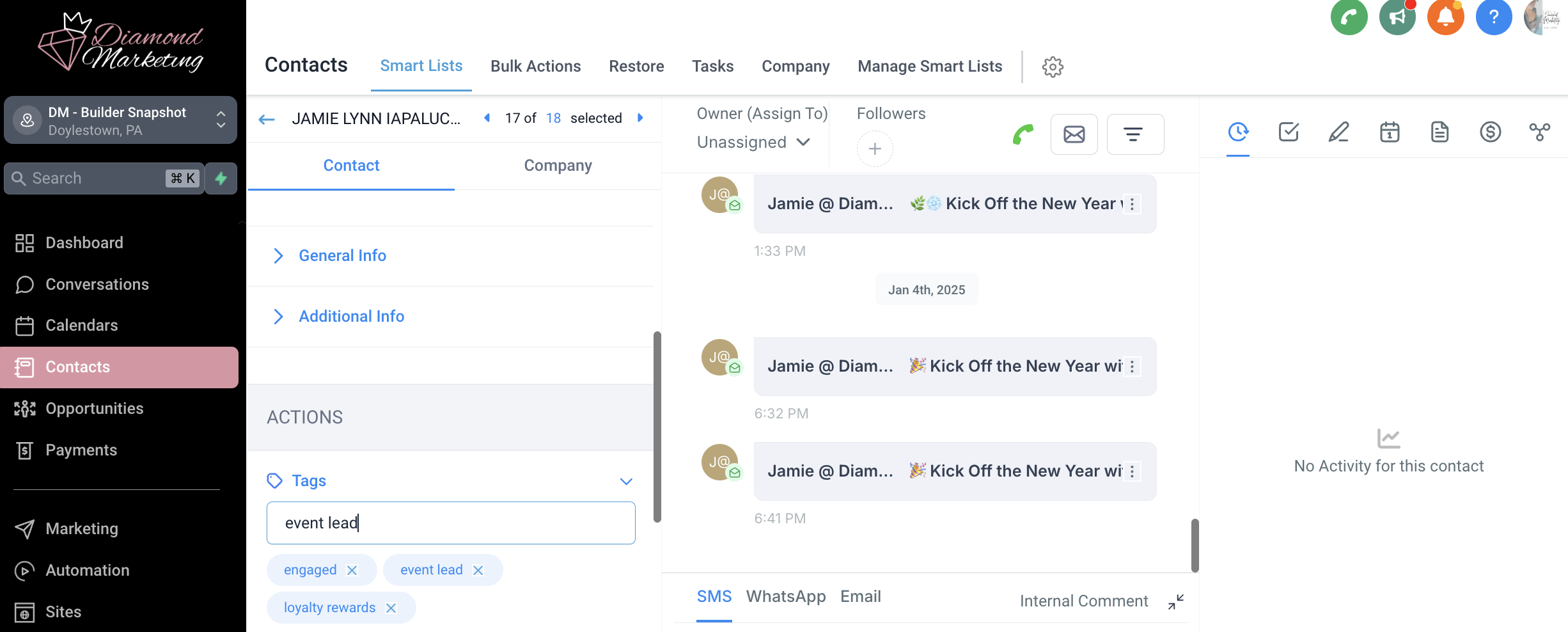
You will manually update the contact with their full name and email address and then tag them 'Event Lead' to trigger the next workflow: In-Person + Vendor Event Nurture Series
Contacts will receive their first Weekly Tip followed by the 4-part nurture emails, one a day.
Make it Easy: Generate a link that pulls up a text to your marketing number with the words "Feeling Lucky" already populated- Text Link Generator. Use this link to make a QR code to display at your event.
ACTION NEED: Text entries will need you to update the contact (add their name and email they provide) and then you will manually tag them 'event lead' within their contact, this tag then moves them to the email nurture series.
Add the Contact Name and Email
Add the tag 'Event Lead'
Event Lead Magnet Webpage and Form Trigger:
Simplify Your Event Follow-Ups: Easily collect contact info and start nurturing your leads with this simple process:
Attendee Action: Once the QR Code is scanned, attendees will fill out their information in the landing page form.
Automatic Contact Creation: The submitted form will automatically create a complete contact and then automatically tag the contact as 'Event Lead'
Workflow Automation: Contacts tagged as 'Event Lead' will automatically trigger the Weekly Tips sequence and move seamlessly into the 'In-Person + Vendor Event Nurture Sequence' workflow—no manual action required!
1️⃣ Go to the SITES tab
2️⃣ Click on the Forms tab at the top
3️⃣ Search for "Event Lead Form" and open it
This form gathers full contact details and automatically triggers the In-Person + Vendor Event Nurture Sequence—so you can follow up effortlessly!
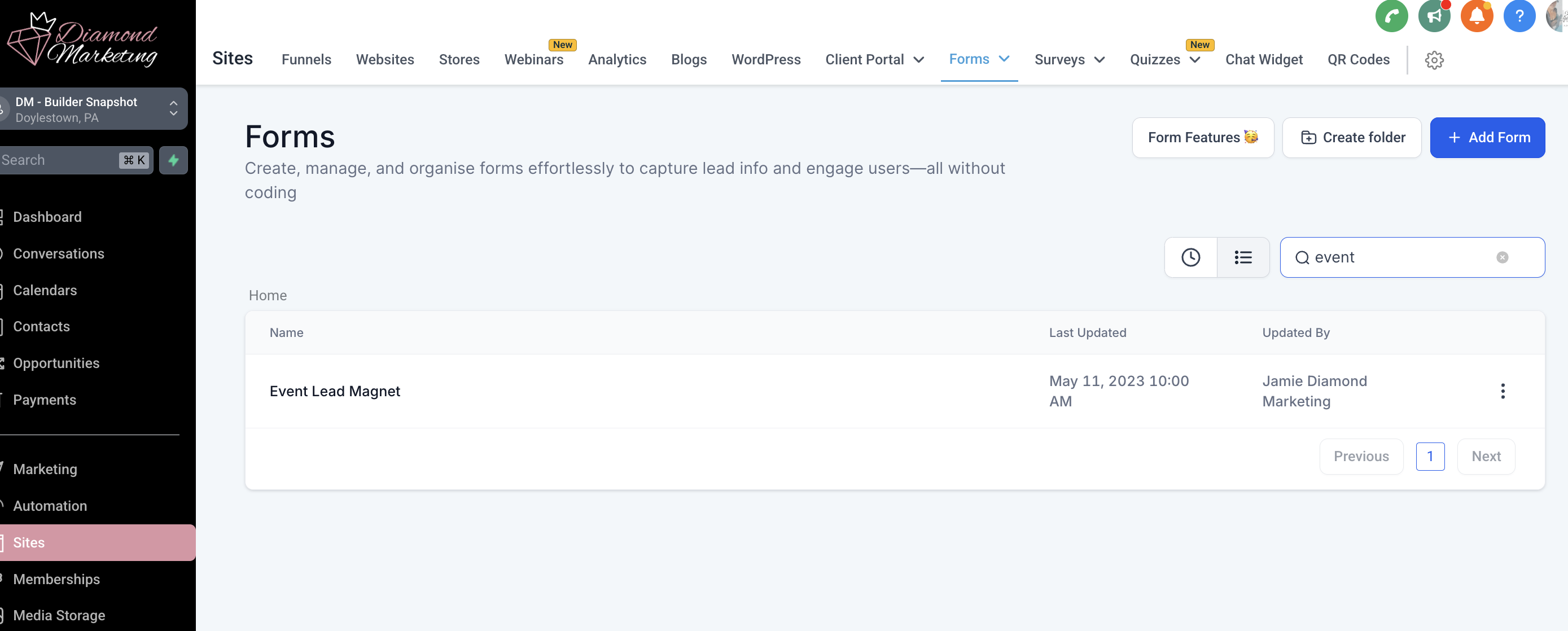
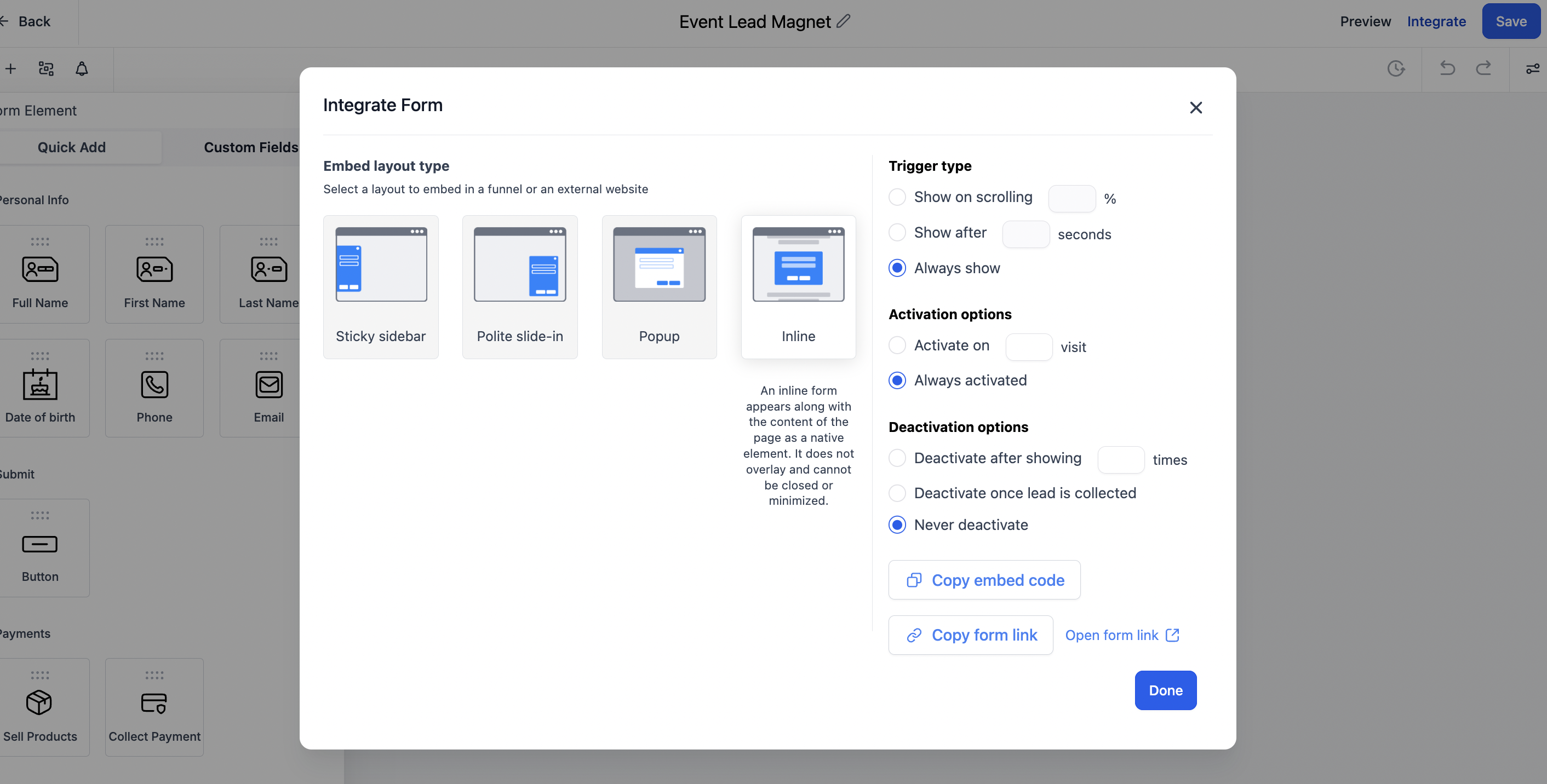
Select Integrate next to the Save button
Click Copy Form Link
Use this link to generate a QR code
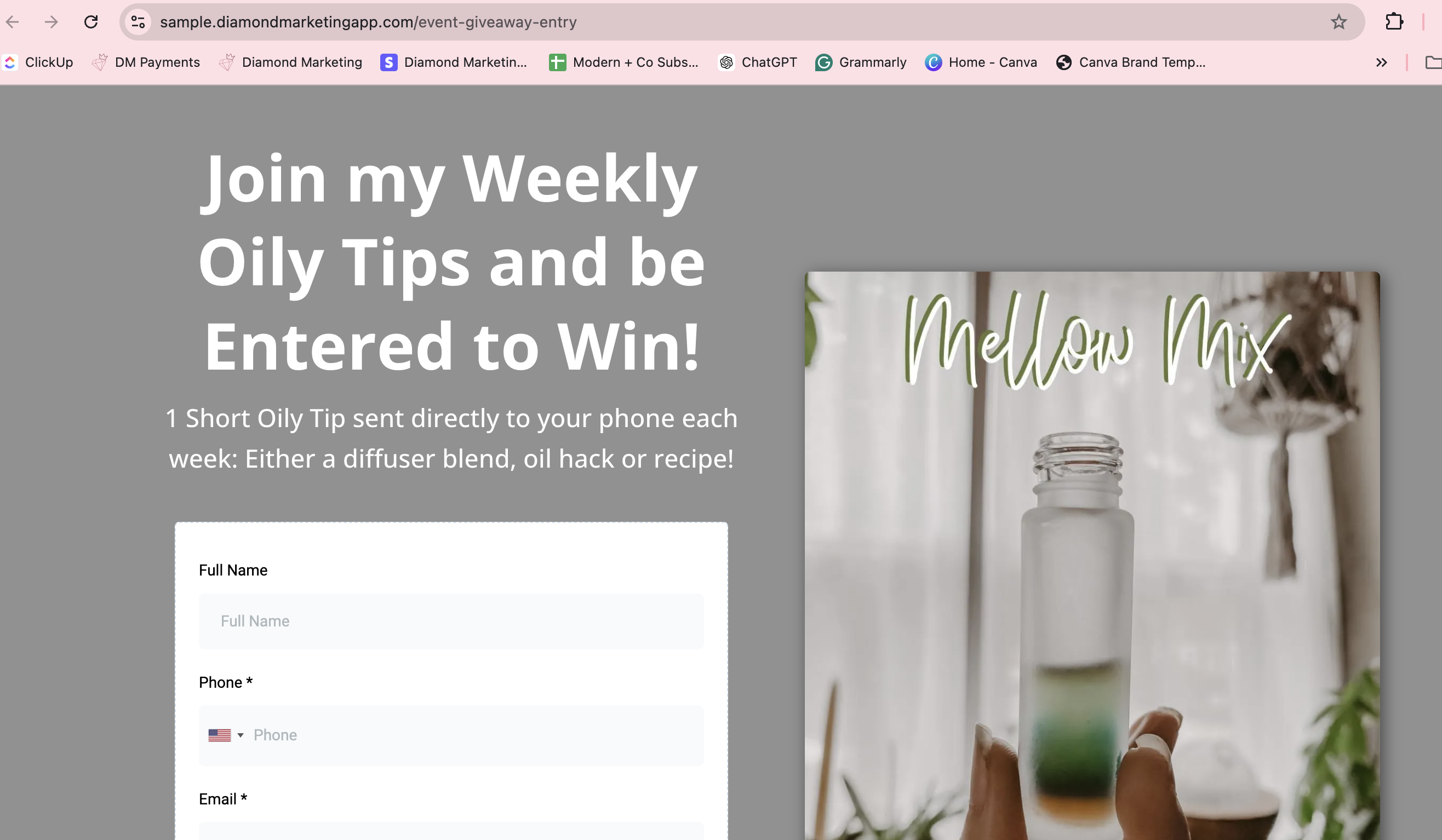
Leader & Mentor Plan Subscribers:
Set Up Your Event Lead Capture in Minutes!
Set Up Your Landing Page: Use the "Event Lead Magnet Opt-In" Landing Page to collect attendee info and trigger the nurture workflow.
How to Find Your Landing Page URL:
✅ Go to SITES
✅ Click Websites & Landing Pages
✅ Find "Event Lead Magnet Opt-In" and click the preview icon
✅ Copy the URL and use it to generate your QR code!
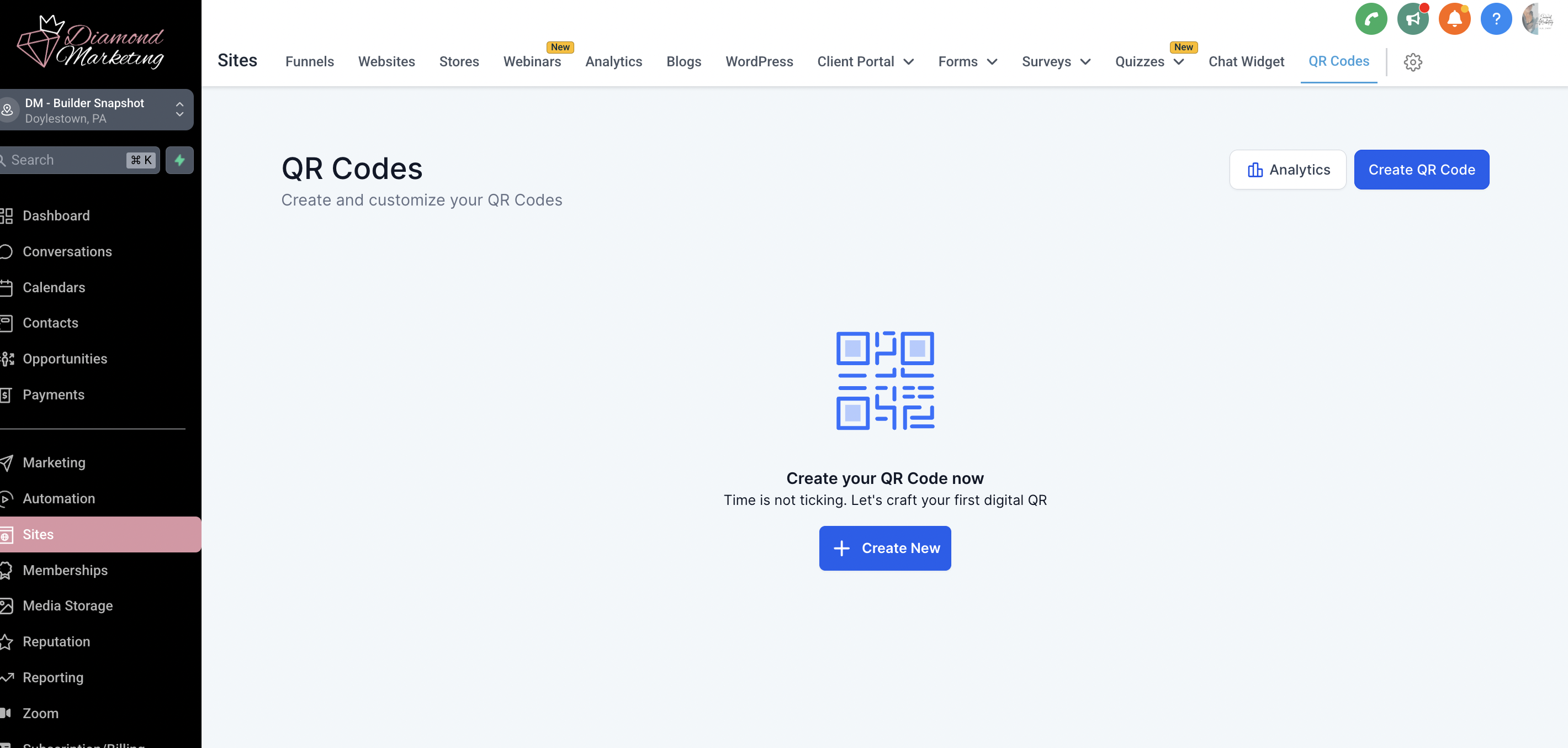
Generate a QR Code:
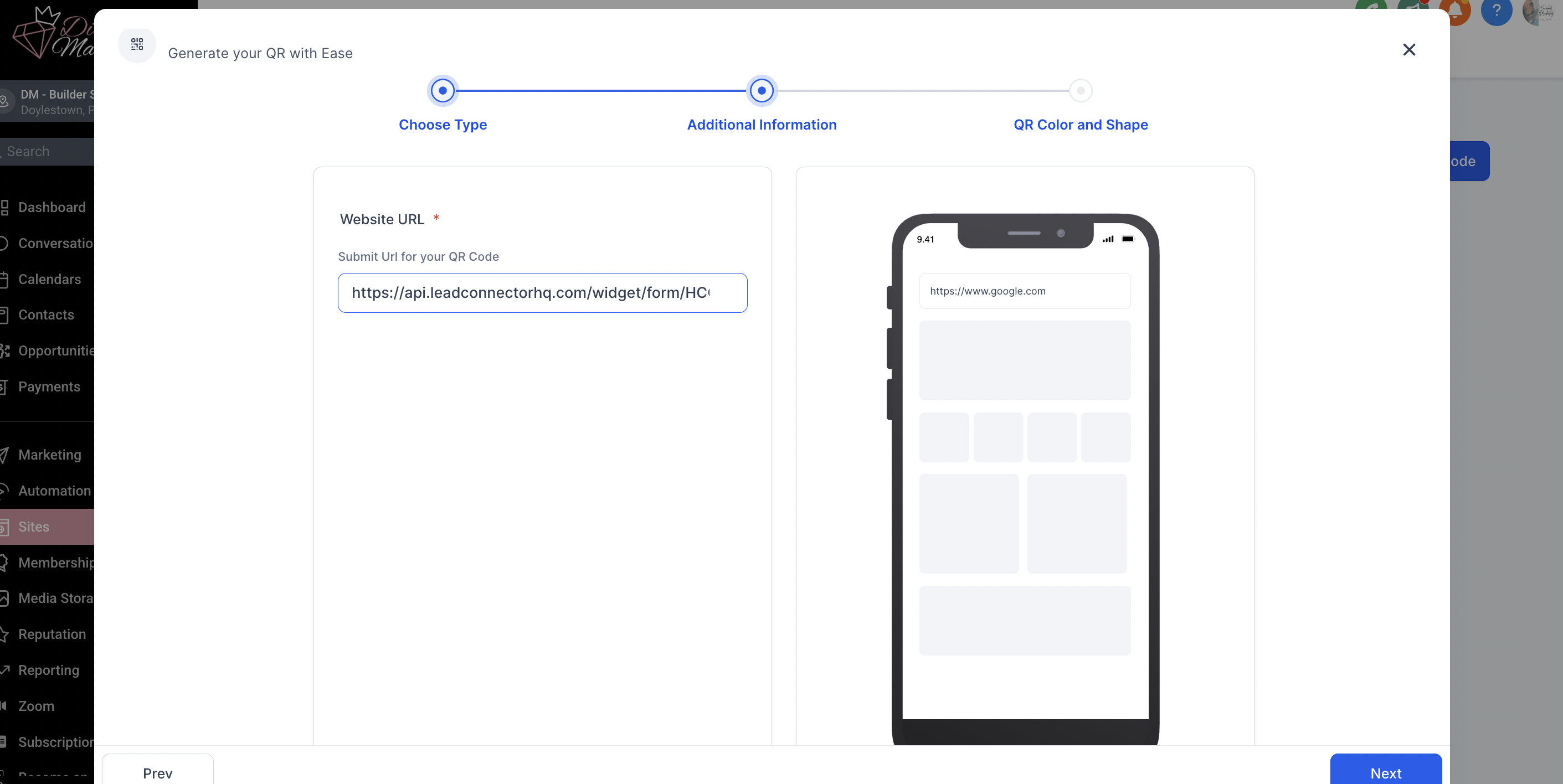
In the SITES tab, select the QR Code tab in the top menu
Select Create QR Code
Select website and Next and then add your form or webpage link and click Next
Stylize as desired and download your QR code to print for your event!
Workflow #2:
In-Person + Vendor Event Nurture Sequence:
The Nurture Sequence for Event Leads is a comprehensive 4-part email series that is sent over 4 days and covers a beginner's guide to using oils, including recipes and information on Topical, Aromatherapy & Dietary Use. It culminates with instructions on how to order and SAVE the most money by ordering a kit and joining Loyalty Rewards.
Let the Nurture Sequence work its magic in warming up your Event Leads!
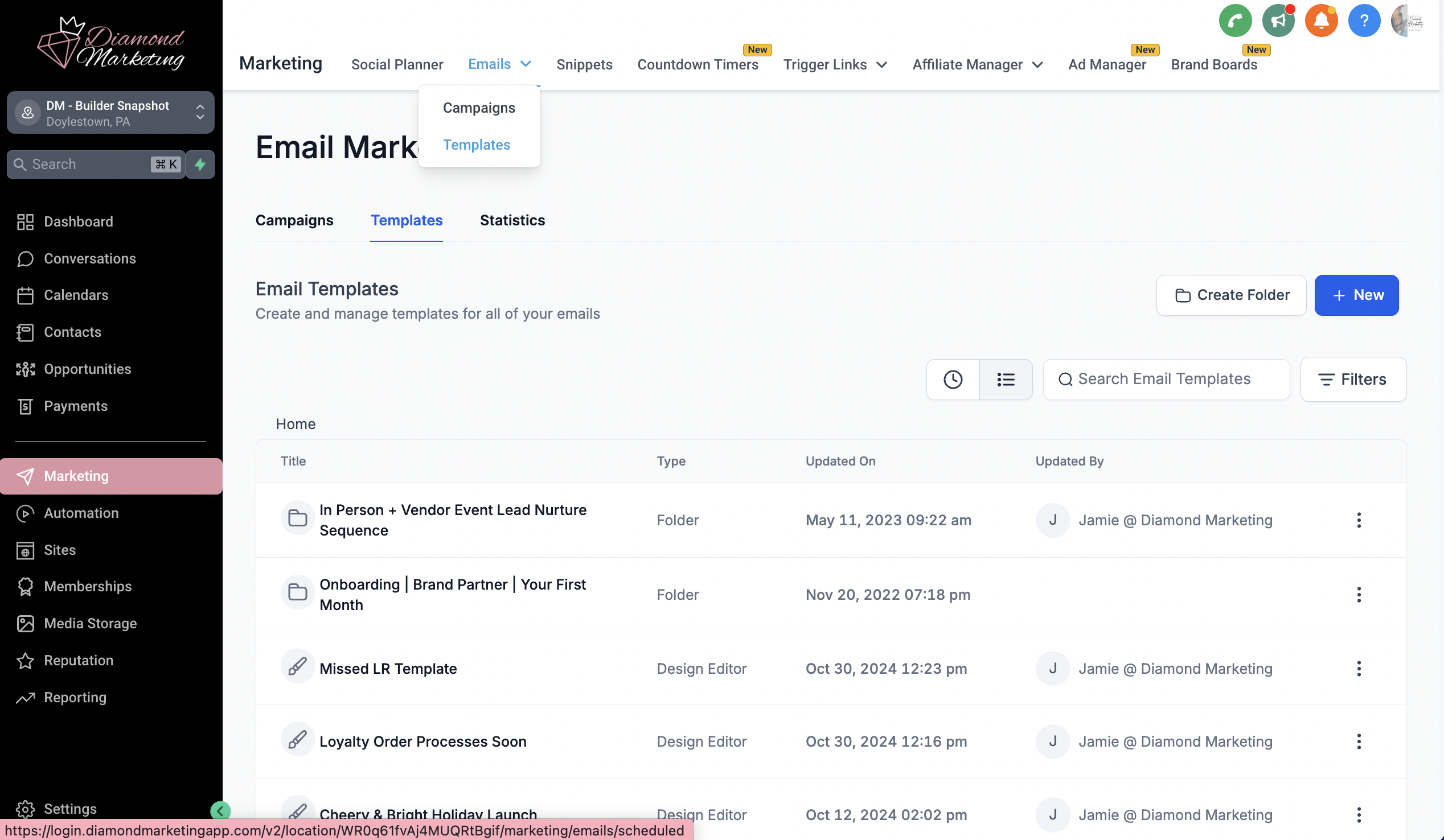
Head to the Marketing Tab and select Email Templates from the top drop-down
Find the 'In-Person + Vendor Event Lead Nurture Sequence' email folder
Personalize with your team branding, email signature, or anything else you'd like to add
Optional Targeted Tagging:
To make the most of your lead engagement, we recommend adding an additional action to your workflow. This will allow you to tag contacts by the name of the event, enabling you to filter and send targeted emails or texts later.
Follow these steps:
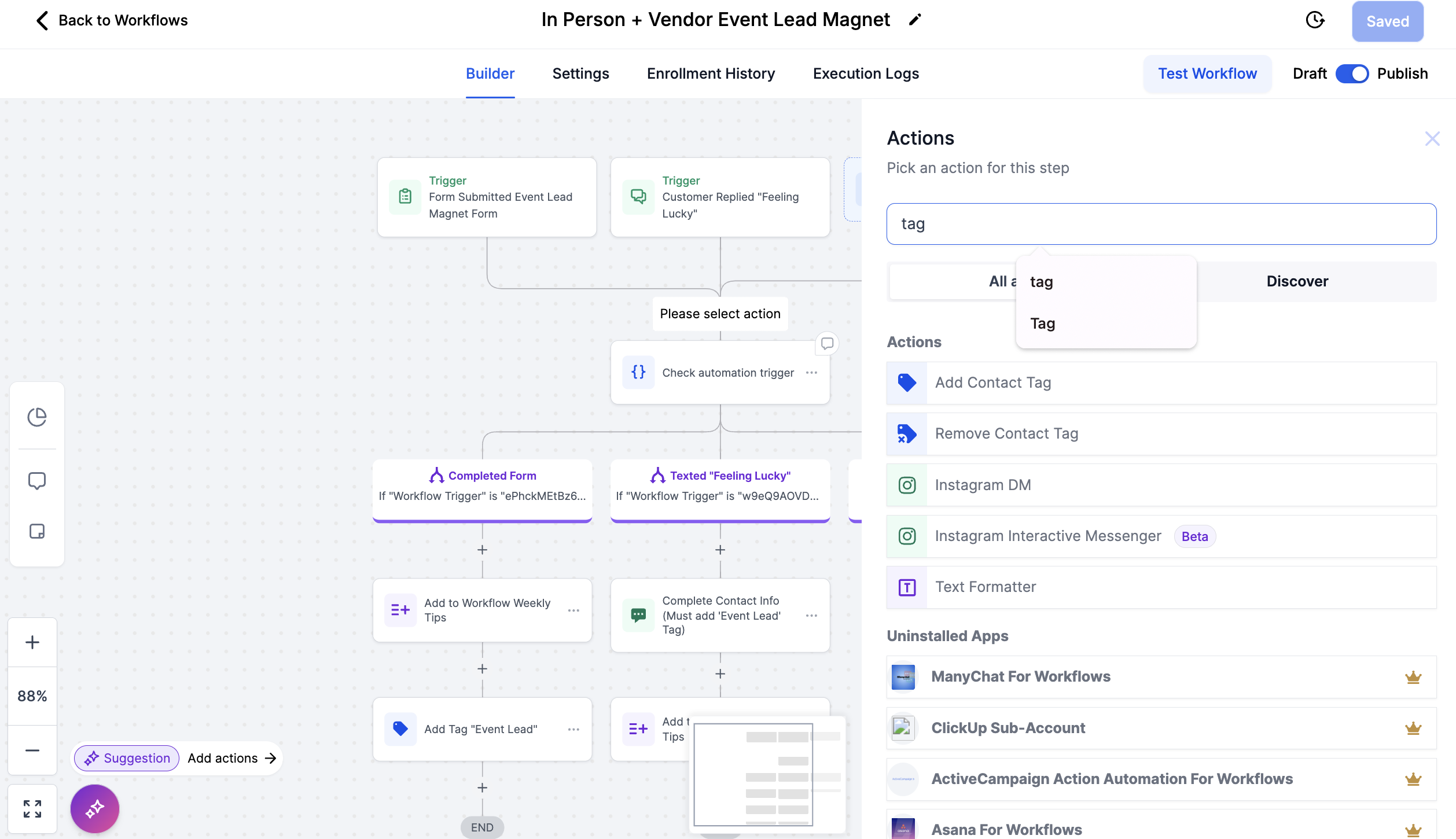
Navigate to the Automation Tab and open the 'In-Person + Vendor Event Nurture Sequence'
folder
Select the 'In-Person + Vendor Event Lead Magnet' workflow
Click the + Action button below the trigger actions to add a new action
Search for and select 'Tag' as the action
Enter the name of the event as the tag (e.g., "Spring Wellness Expo") as the tag
Click Save Action and then Save the entire workflow in the top right to update your workflow
By tagging your contacts with event-specific labels, you'll have the flexibility to send tailored follow-ups and nurture your leads more effectively by filtering for this event-specific tag before sending and email or text.
Recommended:
Keep Event Leads Engaged with Monthly Newsletters
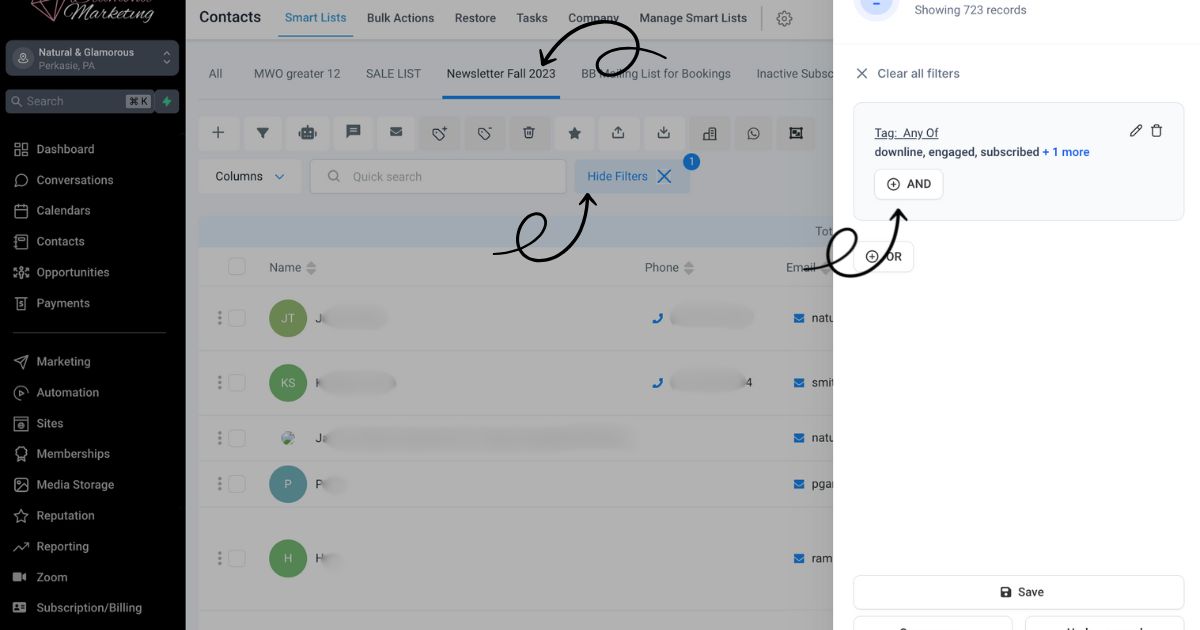
To ensure your event leads stay connected, add the 'Event Lead' tag to your newsletter smart list for ongoing monthly engagement.
Here's how:
Go to the Contacts Tab and select your Newsletter Smart List on the top menu
Click 'More Filters' and then +AND to add a new filter of an additional tag
Select 'Tag' and enter 'Event Lead' as the tag
Save your updated Smart List
Now, every time you send your monthly newsletter to your Newsletter Smart List, your event leads will automatically be included.
Our system is designed to help you build and nurture lasting connections with your audience—effortlessly!
Haven't created a Newsletter/Email Smart List yet? It's easy! Head to the guided lesson here.
How to Use the Nurture Series WITHOUT the Lead Magnet:
Adding Leads to the Email Sequence Only
To add a lead or group of leads to the The Email Nurture Sequence ONLY (without including the giveaway entry or Weekly Text Tips), simply tag the contacts with the tag 'Event Lead' in your system. This will trigger workflow #2 only. You can do this by collecting lead contact information on a paper sheet and then manually adding leads into Diamond Marketing and tagging them after the event.
Important Update: The 'Add to Weekly Tips Workflow' action has been moved to the In Person + Vendor Event Lead Magnet Workflow (Workflow #1) instead of the In Person + Vendor Event Nurture Sequence Workflow (Workflow #2.) This change allows you to:
Skip the Lead Magnet entirely if you only want to send nurture emails.
Add the tag 'Event Lead' directly to contacts for seamless inclusion in the nurture sequence.
For Older Versions of Diamond Marketing:
If you're using an older version, follow these steps:
Delete the 'Add to Workflow' action from the In Person + Vendor Event Nurture Sequence Workflow
Add the action to the Lead Magnet Workflow if you'd like to use a lead magnet for specific events.
This setup ensures flexibility in how you engage your leads while streamlining your email sequences!
To Add the Action 'Move to Workflow' to the Lead Magnet Workflow from the Nurture Sequence (for older versions of Diamond Marketing):
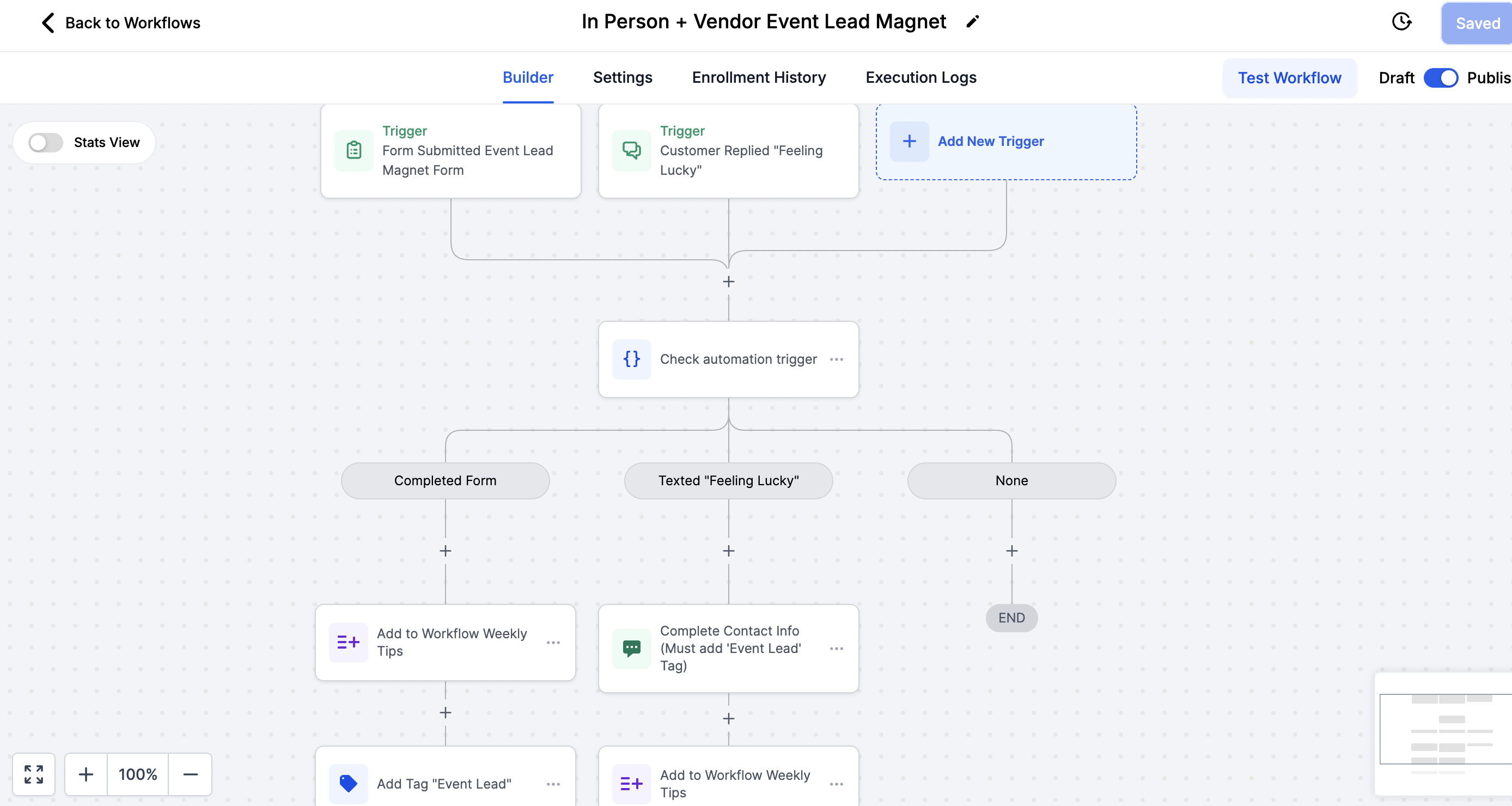
Click the 'Add' icon on the line under the actions 'Complete Form' AND under 'SMS Complete Contact Info'
Type 'Workflow' in the search box and select 'add to workflow'
Select the workflow 'Texted Tips' to add them to the opt-in for tips so it can push them into the correct month automatically
Optional: Change the Action Name to "Add to Weekly Tips"
How to Find Your Leads:
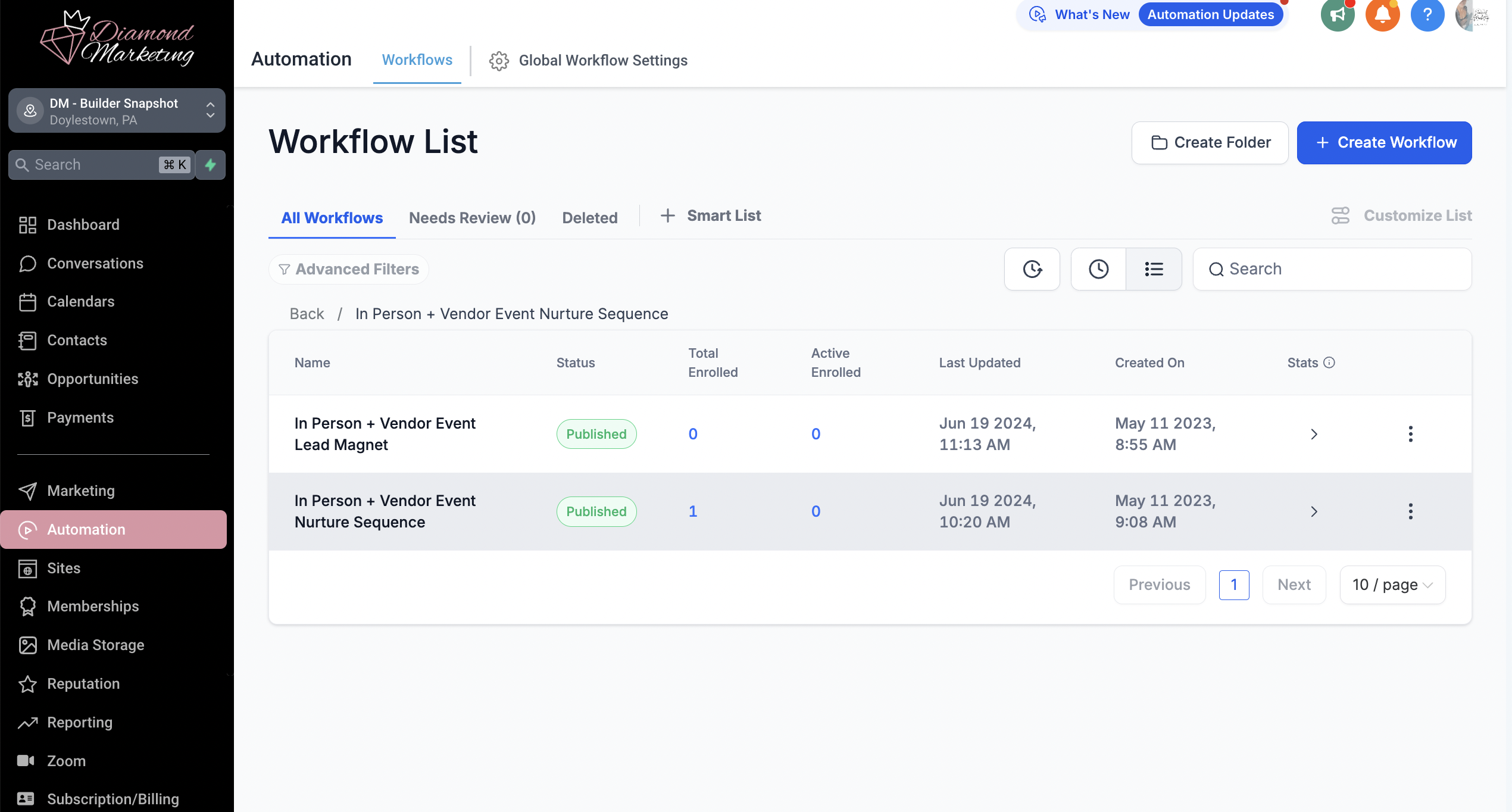
Our workflows will give you a glimpse of the contacts that have joined a workflow.
The Total Enrolled column is the total amount of contacts that have entered that workflow
The Active Enrolled column is the number of contacts currently in the workflow
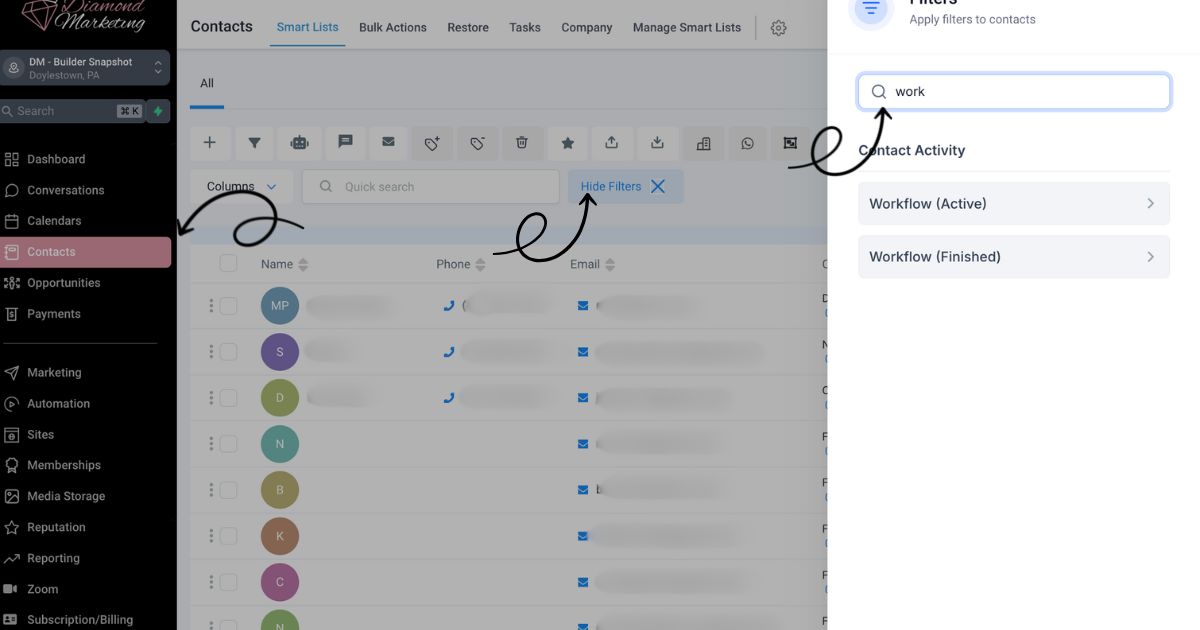
Filter for your Event Leads in the Contacts Tab:
Select More Filters in the Contact tab and search for workflow
You can select 'Workflow (Finished)' and select the 'In-Person + Vendor Event Lead Magnet' workflow
to view all of the contacts that have texted 'Feeling Lucky' or filled out the Event Lead form.
*Save this list as a Smart List to easily send a text or email directly to this group tag in future!

Diamond Marketing is a customer care platform design for Young Living Brand Partners. All content provided by Diamond Marketing is the property of Diamond Marketing App LLC and cannot be copied or redistributed outside of Diamond Marketing. without prior consent.