
Text Messaging 101 – Part Three
Send Your First Text Like a Pro!
Craft confident, compliant messages and grow your engaged list—starting with one unforgettable text.
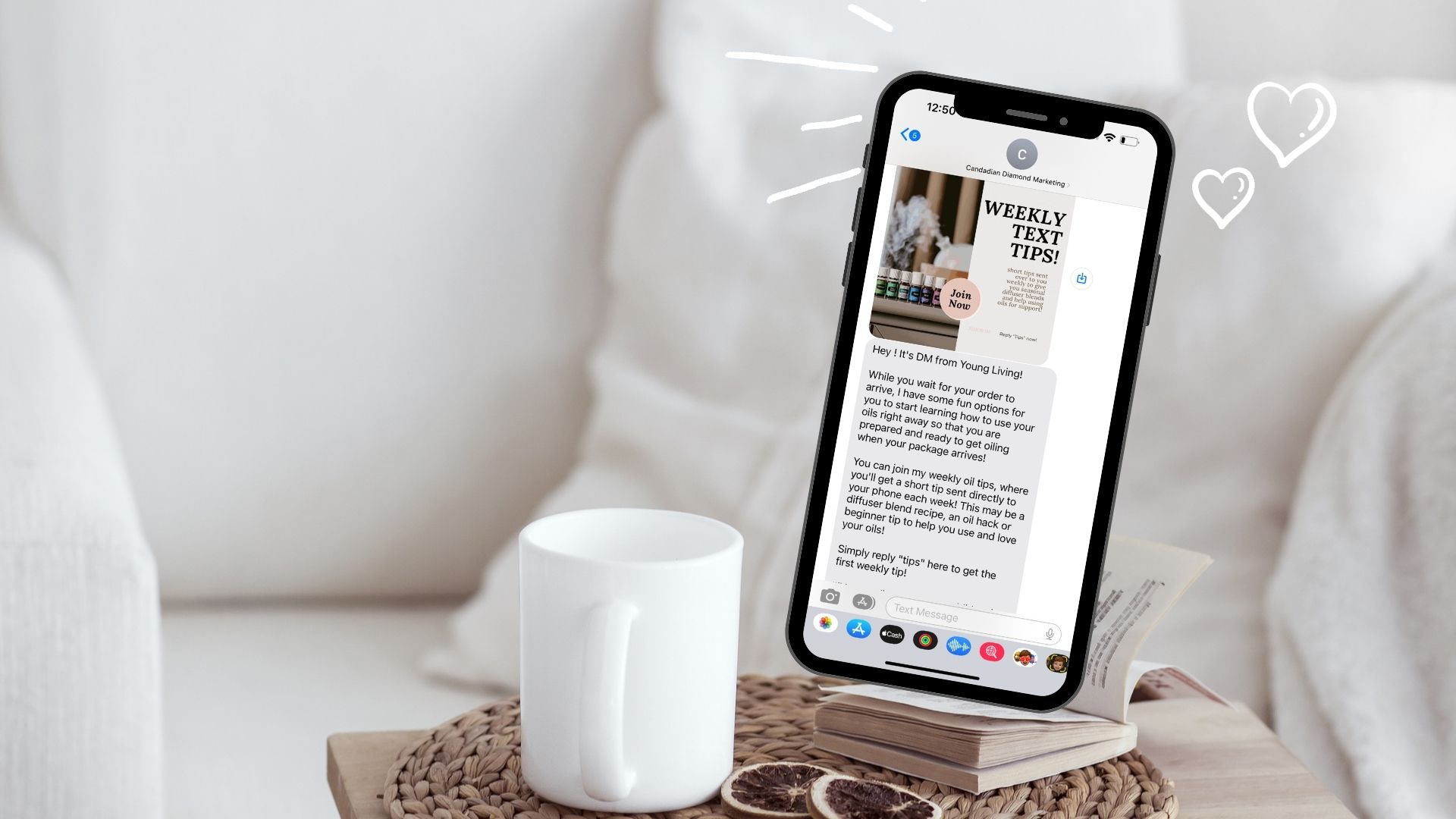
Grow Your Engaged List: Send Your First Text
Texting can begin after you have verified your registration with the TCR AND when you receive the email from us that the registration was approved! This typically takes a few days and you will receive an email from [email protected] when you have this complete!
Opt-In Marketing: Building Trust and Engagement
Opt-in marketing means customers give permission to receive your messages, ensuring they’re genuinely interested in your content.
For Young Living Brand Partners, this is the best way to connect—personalized, value-driven, and fully compliant.
Diamond Marketing makes it easy with trigger words—simple keywords customers can text to opt into Weekly Oily Tips and over 14 different oily classes and workflows.
We also provide a ready-to-use email template to invite your existing downline customers to opt-in, along with a new customer and new account onboarding workflow to automatically add every new contact.
With opt-in marketing, you build trust and deliver meaningful messages straight to your customers’ phones! Get our most up-to-date Best Practices for Text Marketing information here!
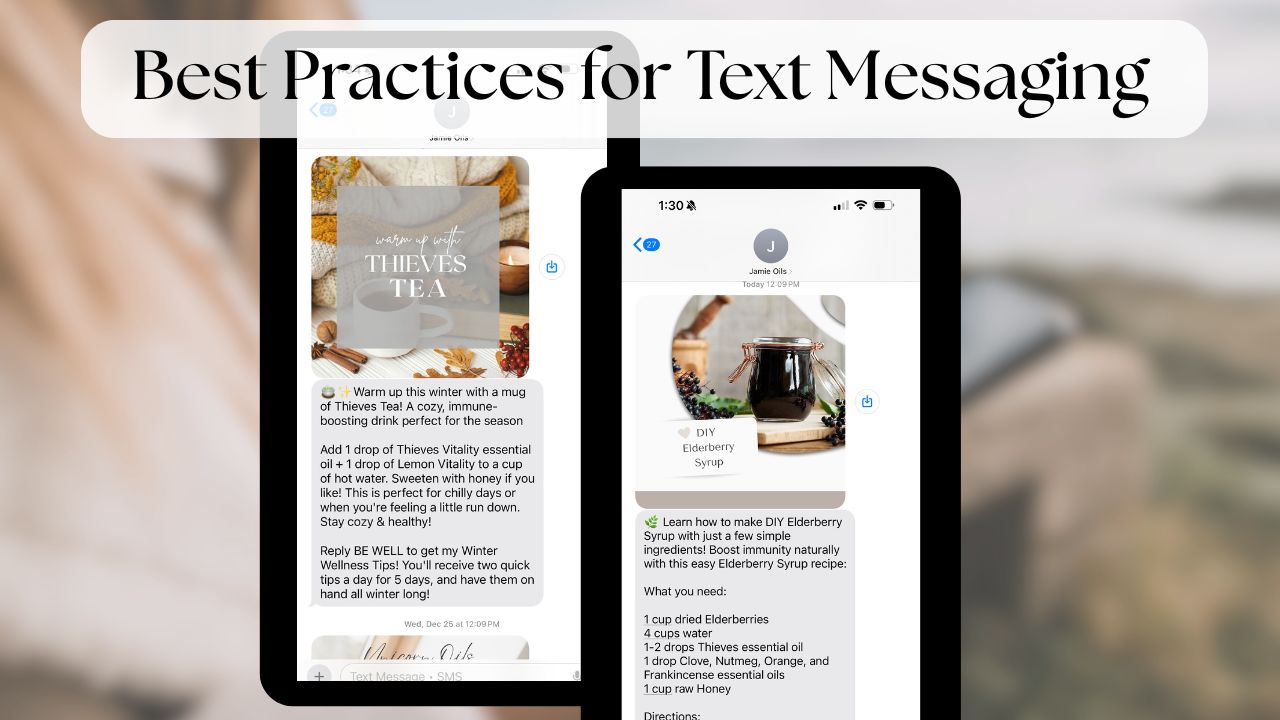
Use The First-Text Template: Outreach Intro Text:

Personalize the Message Template:
Head to the Automation Tab
Search for the Outreach Intro Text Workflow
Edit the words and/or graphic if you choose.
Recommended: Swap the custom value 'location owner first name' to a name your personally enrolled recognized right away. For example your first and last name or the name of your oily group.
OPTIONAL: Custom Value Contact First Name: You can add this to add each contacts first name. This helps your first text to NOT be seen as spam because each text will look different to the carriers with each text having a different first name.
NOTE: YL does reverse some of the first and last names on reports, correct this in your excel sheet before importing to use this custom value. This is why we do not automatically include this value. But you can add it if you wish to take the extra step to switch the names that are incorrect before import.
Custom Value Location Owner First Name will populate the first name of your DM account-You can change this to your name, or however your people know you by editing the text! The custom value is in place, just to show you where to introduce yourself! Text Marketing Best Practices require you to introduce yourself in each text blast and we recommend having this introduction be at the top of your text so your contacts INSTANTLY know who they are getting a text from when they see the notification. Learn more here.
PASS Opt-Out sentence at the bottom allows contacts to opt-out without flagging your account by using the word STOP. A response of PASS will turn on the DND (Do Not Disturb) for that specific contact for texts automatically. Leave this sentence at the bottom.
Save the Action at the bottom of the text
Save the Workflow in the top right of the page

Send The Message as a Text Blast:
Head to the Contacts Tab
Select 'More Filters' and type TAG
Type 'Personally Enrolled' and select that tag
Click 'Apply'
*You can now X out the filter to move that screen away and see your list
Check the box next to NAME, which will select that entire page of names
'Select All' if there is more than one page
Click the robot icon, which is Add to Automation
Select 'Workflow' and choose the Outreach Intro Text Workflow
If wanting to send to more than 100 send in drip mode of 10 every 60 seconds
and input "reasonable text hours" so the system stops sending the text at inappropriate times of the day if it takes awhile
*CAUTION: if sending to over 100 contacts BE SURE that these contacts know you personally and that this is not a list that could get a lot of STOPS
Add an Action Name for your records
Select 'Send'
Note: This workflow is scheduled to send between the hours of noon and seven pm (your time). If you are working outside of those hours, the settings will hold the text until noon. You can head to the Automation Tab and search 'Outreach Intro Text' and see the number of contacts waiting for the workflow hours to begin after you hit send!
Your first text blast is FREE! Just email us and let us know how many contacts you sent the first text to and we will be sure it doesn't come out of your texts for the month!
This text will be FREE and not deducted from your monthly texts!
More About The Oily Tips:

The First-Text Template will encourage your personally enrolled to opt into your weekly text tips. When they do, they’re tagged as 'engaged'—a valuable list of contacts who receive ongoing weekly oily insights from you!
By keeping your contacts engaged, you get:
Direct Access: Text and email tips put your business in front of customers’ phones, bypassing social media algorithms for a direct, personal connection.
Increased Engagement: Send valuable tips and oil inspiration that foster one-on-one interaction and keep your customers coming back for more.
Stronger Trust: Regular, relevant content helps build a loyal, trusting customer base.
Effortless Convenience: Our pre-crafted tips are ready to go, saving you time and effort—no need to create or manage your own content!
Tailored Customization: Add your personal touch or use our pre-designed framework to stay aligned with your brand.
Consistent Impact: Keep your brand top of mind by delivering consistent, inspiring content that keeps your customers engaged week after week!

Grow Your Engaged List:
How to Continuously Offer Your Weekly Text Tips and YL Education

We’ve created a simple system to help you engage your contacts and offer your Weekly Text Tips!
Offer Your Weekly Tips with a Call-to-Action (CTA): Opt-in marketing gives the best results! Use our Intro Text template to invite customers to join your Weekly Tips when you start with Diamond Marketing.
Continuous Opt-Ins with an Onboarding System: Add new customers and accounts to your Tips automatically with our New Customer/New Account Onboarding workflows—perfect for people just starting their natural living journey!
Use a Multi-Channel Approach:
Choose one or all of these options to encourage opt-ins for your Weekly Tips-
Text Opt-In: Contacts can simply text your marketing number with the word "TIPS" to start receiving weekly inspiration!
Monthly Newsletter: Each of our email templates includes a CTA, keeping your Tips in front of your contacts consistently.
Webpage Opt-In (Leader & Mentor Plans): Share your Tips landing page on social media to drive more opt-ins. This plan includes a webpage you can link to in posts or stories for wider exposure!
In-Person Events: Generate a QR code for your Tips webpage to encourage opt-ins at in-person events. When a contact fills out the form, they’re automatically added to your weekly tips list!

Complete list of pre-made opt-in templates here.
Best Practices for Text Marketing here.
Concierge or VA support here.
UP NEXT: Set Up Your Biz Systems: systems like New Customer Onboarding, Sending Your Monthly Email and Loyalty Reminders here.

Diamond Marketing is a customer care platform design for Young Living Brand Partners. All content provided by Diamond Marketing is the property of Diamond Marketing App LLC and cannot be copied or redistributed outside of Diamond Marketing. without prior consent.