
Brand Partner Onboarding
Launch with Confidence: Step-by-Step Support for Your Brand Partner's First Month in Business
7 easily consumable emails that simplify sharing and guide to create the tools BPs will use repeatedly to share YL and build a business.
In this lesson learn to:
Personalize the Onboarding
Share The Onboarding
Send the Onboarding
Empower Your Brand Partners with Every Email
Each email in this series equips your Brand Partners with essential Young Living information to grow their business confidently. Here's what they'll gain insights such as :
A Company Spotlight: Key insights about Young Living’s mission and values.
A Lifestyle Deep Dive: Tips on authentically sharing the Rewards program.
Hosting Class Success: Two complete email templates for hosting impactful classes and mastering follow-ups.
Refining Their Message: Help BPs discover and share their unique voice.
Community Spotlight: Celebrate and connect with your thriving YL community.
Note if you are on the M+Co Team, Your Brand Partner Onboarding is The Mentorship and can be found in your Email Templates under Outlines & Previews. You can also request our 7-part series to be added to your portal here!
Video Lesson: Brand Partner Onboarding
Brand Partner Onboarding: The Emails
Step-by-step guidance to launch with confidence, grow your impact, and start earning—right from Day One.
Each email is packed with practical, actionable steps designed to help you and your new Brand Partners build momentum and feel supported every step of the way.
📩 Email 1: Your First Month – Setting the Foundation
Understand What Makes Young Living Unique
Kick off your journey by learning what sets YL apart in the wellness world—and how to confidently share that with others.
📩 Email 2: Your Message & Your Heart – What to Share with Your Audience
Find Your Voice & Connect Authentically
Craft your personal story to inspire trust and connection. Plus, get a simple breakdown of must-know Brand Partner terminology to help you speak confidently from the start.
📩 Email 3: Building Momentum to Attract & Educate + Earning Bonuses
Host Classes & Start Reaching Your Goals
Get tips for planning engaging classes, putting them on your calendar, and starting your journey through YL’s first ranks.
Discover how to earn up to $1,650 in Rank Bonuses as you grow!
📩 Email 4: Classes That Attract & Educate
Teach with Ease & Follow Up Like a Pro
Explore different ways to host a class that feels natural to you. Then, learn powerful follow-up strategies to keep the conversation going and deepen customer connections.
📩 Email 5: Sharing Your Brand with Confidence
Grow Your Business with Authenticity
Learn how to share YL without sounding “sales-y”—from sharing your heart to creatively unboxing orders on social media.
📩 Email 6: Creating Content & Custom Bundles
Craft Offers That Convert
Get familiar with the Starter Bundles, how to create compelling content, and how to build Custom Bundles (U.S. only) that meet your customers’ needs. Plus, learn how to earn the Fast Start Bonus with simple sales strategies.
📩 Email 7: Building Your Business Community
Create a Thriving, Supportive Network
Learn how to onboard new customers, build a strong community, and attract future Brand Partners naturally.
Finish with a simplified overview of the Generation Leadership Bonus (GLB) to help you lead with confidence.
This Onboarding is featured in 4 of our monthly newsletters so it is 100% worth your time to look through the emails and make them your teams! Your Brand Partner's will see this Call-to-Action often!
Personalize The Onboarding
Guided Lesson: Personalize the Content.
Head to the Automation tab and find the Brand Partner: Your First Month workflow.
Read through the Welcome and Conclusion texts and edit as desired. We recommend changing the custom values name to the name your contacts know you best by.
Save the Action AND Save the entire workflow in the top right after each edit.
Click the email actions inside the workflow and click edit to read through and edit!
Click SAVE email and then Save Action and lastly, Save the entire workflow in the top right to save your edits.
*Alternatively, you can find the 7 emails in the Marketing tab under Email Templates and in the
Onboarding | Brand Partner | Your First Month folder. Add your team banner, your signature graphic, and any other personalizations, and save each template and your updates will automatically sync to the workflow.

How To Share the Onboarding
Brand Partner: Your First Month
Are you ready to simplify the onboarding process for your new Brand Partners and help them hit the ground running? Our Brand Partner Onboarding is a series of 7 easy-to-follow emails, packed with everything your BPs need to start sharing Young Living and building their businesses confidently!
How to Share the Onboarding: This training can be triggered in two ways:
Contacts can Text BP TRAINING to your marketing number.
Reply to any email with BP TRAINING
You can add the tag NEW BP to a contact.
How To Send the Onboarding
Brand Partner: Your First Month
A Call-to-Action is included in our Introduction to Brand Partner Class—contacts can reply with BP TRAINING to start onboarding themselves instantly! This means less work for you and more empowered partners from day one.
To add the Tag Trigger and automate the process of Onboarding your New Brand Partners monthly:
Tag new Brand Partners as 'New BP' during a report import or directly within a contact's profile.
Once tagged, they’ll be automatically added to the onboarding workflow, keeping everything streamlined and efficient!
*Note you may have an older version of the Onboarding that does not include the tag trigger. Head to the Automation Tab and find: Brand Partner Your First Month and look for the Trigger at the top.
If you need to add the tag trigger: Select 'Add New Trigger', search 'Tag' and select 'Contact Tag' then apply the filter 'Tag Added' and type the Tag 'New BP' and select +add tag . Save the Action and then Save the entire Workflow in the top right!
Step One: Run a Report in your VO
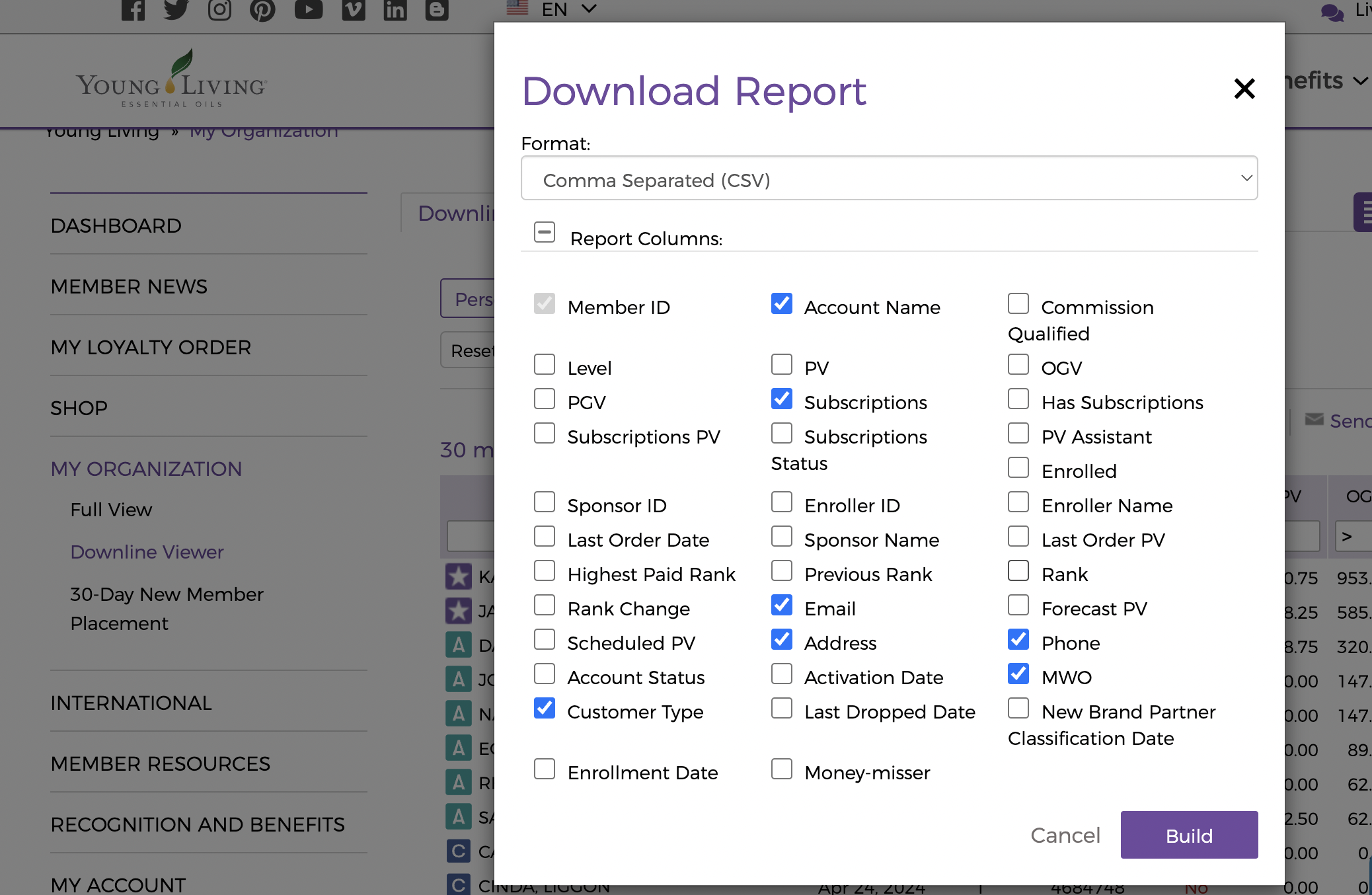
Select Customer to Brand Partner or Direct to Brand Partner and select the previous month in the month drop-down.
Include Customer Type, Account Name, Subscriptions, Email, Address, Phone and MWO
.
Step Two: Import into Diamond Marketing
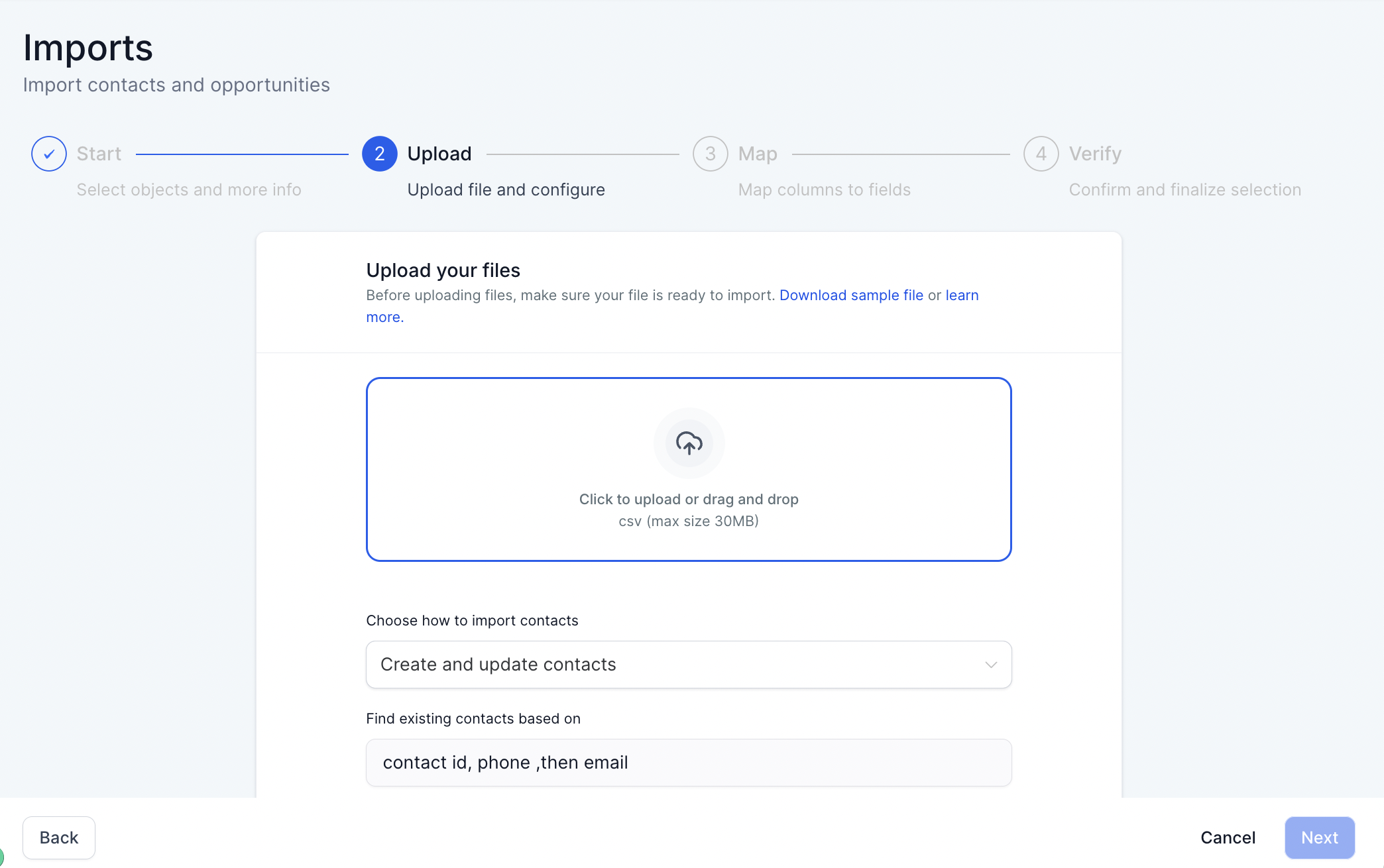
In the Contacts Tab: Select the Import Icon
Select Contacts & Upload Your File
Map the fields: Subscription will go with Process Day and Customer Type with Customer/Brand Partner
In the Verify Step of Import: Add the tag 'Brand Partner' to update your BP list
AND Add the tag 'New BP' to add to the Onboarding (called Onboarding | Brand Partner -Your First Month | Email & SMS)
Full lesson here
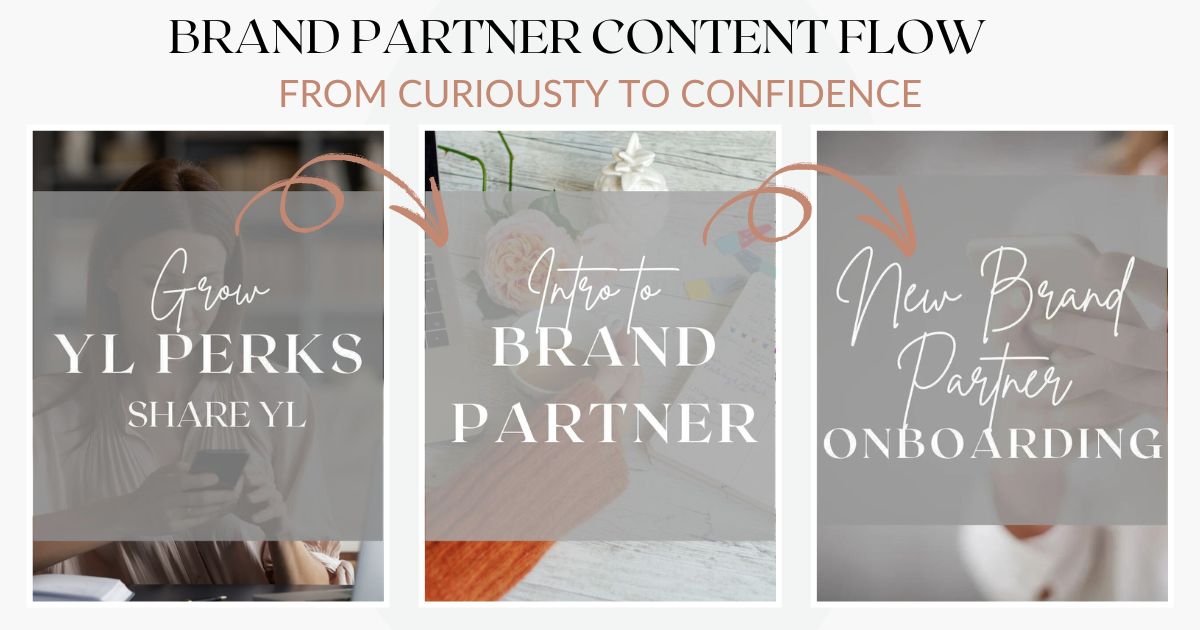
Building a strong team starts with guiding potential Brand Partners through every stage of the journey—from discovering the possibilities to confidently launching their own business. The
Brand Partner Content Series is a fully customizable system designed to take someone from casual interest to empowered action.
This series makes it easy to nurture, educate, and equip your team with confidence. Customize it to fit your style and start attracting aligned, motivated Brand Partners today!
Diamond Marketing is a customer care platform design for Young Living Brand Partners. All content provided by Diamond Marketing is the property of Diamond Marketing App LLC and cannot be copied or redistributed outside of Diamond Marketing. without prior consent.